EverStamp
Home › Personal › Work for clients
Tradespeople and contractors

Before and after photos your client can check

The state before you start, the pipes before the boarding goes on, the extra work agreed on site and the result. Every photo carries the date, the time and the place, an independent service timestamps the file, and on Plus the report carries your logo.

Run crews? How to set it up for your company →

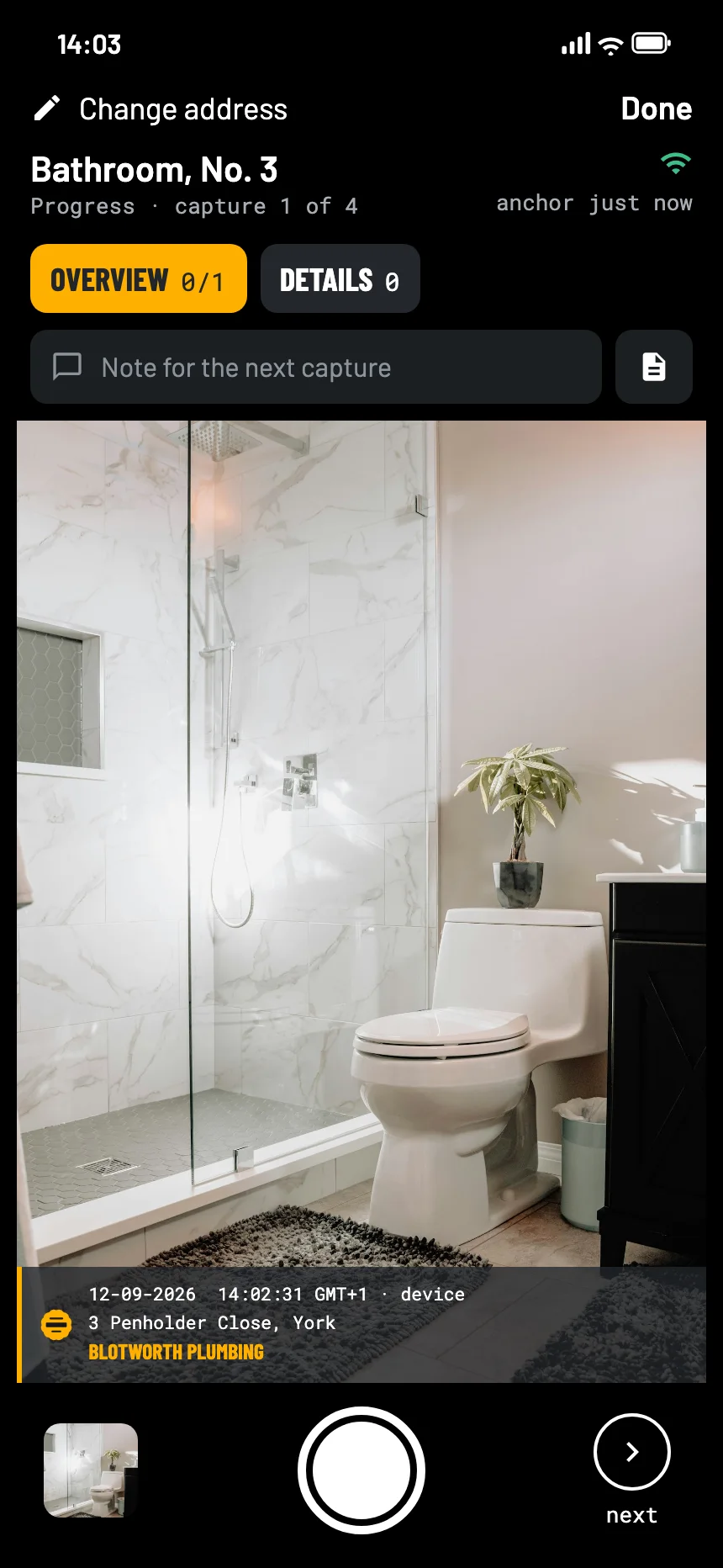
The EverStamp camera when recording work for a client: the finished bathroom in the viewfinder, with the stamp bar in the picture
Where it goes wrong

Once it is covered, nobody can look again

Hidden work

The pipes behind the plasterboard, the insulation under the floor. When the client asks later, the photos are all there is.

Extra work

Agreed on site, disputed at the invoice. A photo with the time puts it on the record.

It was like that before

A crack in the tiles, a scratch on the floor. Without a before, it is your word against theirs.

What to photograph

Before, hidden work, after

The Work that gets closed up template in the app asks for the space, the pipework in detail and the connection points before anything is covered. Progress keeps the stages in between.

On Plus the report carries your logo. If you want the client to sign on site, that works on Business, with a checklist of your own in which the customer signs at the end.

Overview of the spaceat least 2
  • Walls and floor before you start
  • Existing damage, close up
Pipework in detailat least 4
  • Supply and waste, before boarding
  • Joints and fixings
Connection pointsat least 2
  • Where it connects, clearly visible
Meter readingoptional
  • Water or gas, before and after
How it goes

Shoot, close, send it on

01

Before you start

The space, the existing damage, and the meter if there is one.

02

Before it is closed up

The pipework and the connections, then close the file so it is timestamped on that day.

03

Send the report

With your logo on Plus, next to the invoice or at handover. The client checks it in the browser.

At the other end

What your client or the main contractor sees

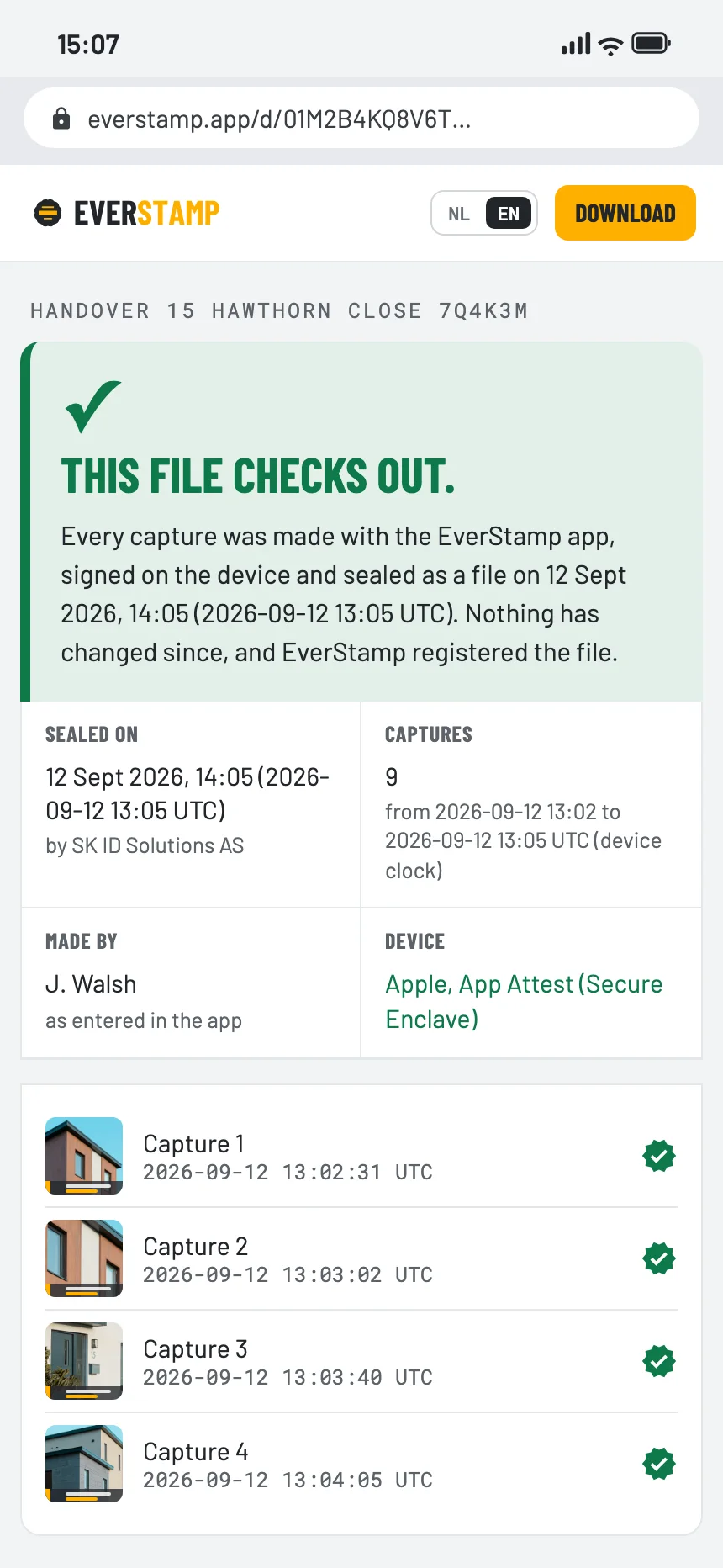
They open the file in the browser, with no account and nothing to install: the work before it was covered, with the time from an independent service.

The file establishes
  • That these photos existed in this form at the time of the timestamp
  • That they were taken with this app, on this phone
  • That anything added, removed or changed since then shows up
It leaves to someone else
  • Whether the work meets the standard
  • What was done after the photos
  • Who pays for extra work
The verification page in the browser: this file checks out
Questions

What people ask

Does my client need the app?

No. They open the file or the link in a browser. Only the person taking the photos needs the app, and Basis is free for one file a month.

Can my whole team use it?

Yes, with a Business bundle: orders, your own checklists and a dashboard to follow the work.

Can the client sign on site?

In a checklist with a signature step, yes, and the signature goes into the file. Of the built-in checklists only Key handover has that step; Work that gets closed up, Completion and Progress do not. On Business you switch on ‘The customer signs at the end’ in a checklist of your own, for example for the handover.

Is a photo with a date on it not enough?

The date on an ordinary photo comes from the phone and can be changed afterwards. Here the time that counts comes from an independent service, and the page shows the window between the photo and the stamp.
Before the boards go on

Basis is free: one file a month. Plus gives you five and your logo on the report.

Get the app

Similar moments