EverStamp
Home › Personal › Renting
Tenants and landlords

A check-in inventory the other side can check

Walk through the place with EverStamp when you move in and again when you move out. Every photo carries the date, the time and the address in the image, an independent service timestamps the file, and whoever decides about the deposit checks it in the browser.
Let or manage homes? How to record check-in and check-out →

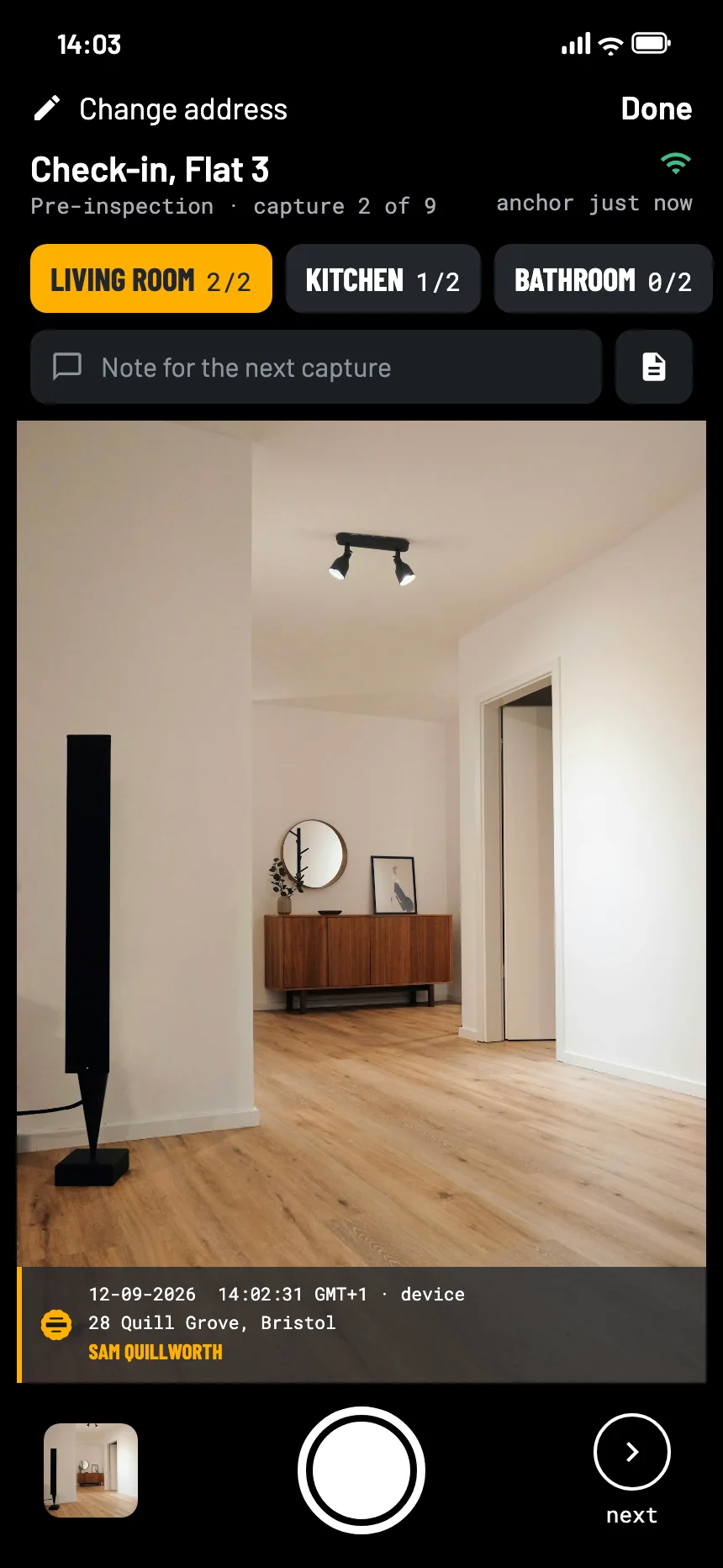
The EverStamp camera at a check-in: the living room in the viewfinder, with the stamp bar in the picture
Where it goes wrong

Deposit arguments are arguments about photos

Photos nobody can date

A folder of phone pictures says nothing reliable about when they were taken. The other side only has to say they are from later.

The wall nobody photographed

The argument is always about the one carpet or the one wall that is not in the pictures, because nobody walked through the place in order.

A year in between

Check-out comes a year or more after check-in. By then nobody remembers, and the photos are all anyone has.

In England

Where the photos end up

Since 1 May 2026, most private tenancies in England are assured periodic tenancies. The deposit still has to be protected in one of three government-backed schemes within 30 days, and each scheme offers a free dispute service. If landlord and tenant both agree to use it, both are asked for evidence and the decision is final. That evidence is where check-in and check-out photos come in.

Sources: gov.uk, Tenancy deposit protection; gov.uk, Disputes and problems

What to photograph

A move-in inspection checklist, room by room

The Pre-inspection template in the app walks you through it: living room, kitchen, bathroom, bedrooms, meter readings and keys, with a minimum number of photos per room. At check-out, the Final inspection template adds damage and the keys you hand back.

A required step has to be there before the file closes, so a forgotten room shows up while you are still standing in it.

Living roomat least 2
  • From the doorway
  • Walls, floor and ceiling
  • Windows and radiators
Kitchenat least 2
  • Appliances, switched on
  • Worktop, hob and sink
Bathroomat least 2
  • Taps, tiles and seals
  • Toilet and shower
Bedroomsat least 1
  • Each bedroom from the door
Other roomsoptional
  • Hallway, loft, garden
Meter readingsat least 1
  • Electricity, gas and water
Keysat least 1
  • Every key and fob, in one photo
How it goes

Shoot, close, send it on

01

Walk round with the checklist

Room by room. The stamp bar goes into every photo, and the app carries on in a cellar with no signal.

02

Close the file

An independent service timestamps the whole series. From then on, a photo added later or a changed pixel shows up.

03

Send it to the other side

As a PDF report, the archive or a link. At check-out you do the same again, in a second file.

At the other end

What the landlord, the agent or the adjudicator sees

They open the file in the browser, with no account and nothing to install, and read in plain words what was recorded and when.

The file establishes
  • That these photos existed in this form at the time of the timestamp
  • That they were taken with this app, on this phone
  • That anything added, removed or changed since then shows up
It leaves to someone else
  • What the photos show: whether a stain is new is still for someone to judge
  • That you photographed everything: the checklist shows the gaps, it does not fill them
  • Who is right about the deposit
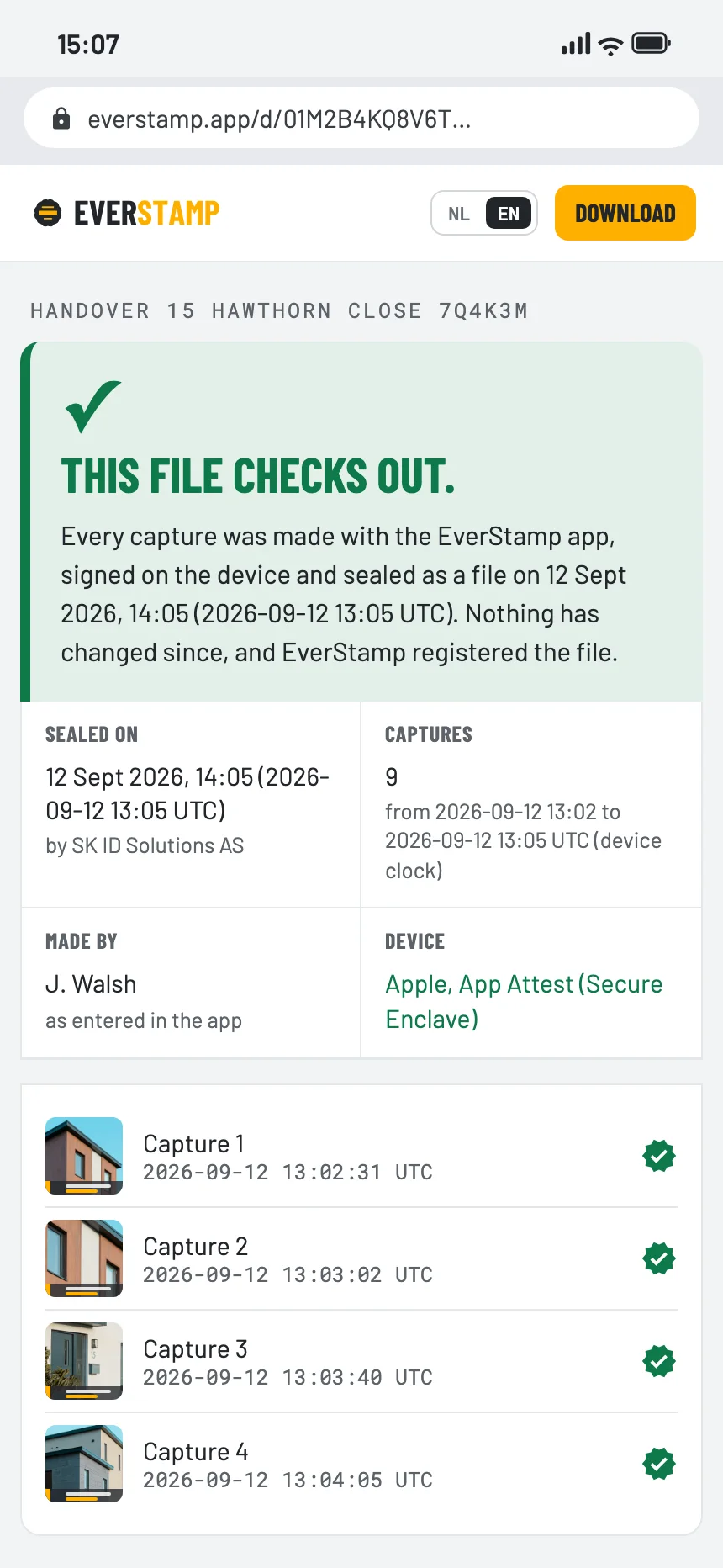
The verification page in the browser: this file checks out
Questions

What people ask

Does the landlord or the agent need the app?

No. They open the file or the link in a browser. Only the person taking the photos needs the app, and Basis is free for one file a month.

Should check-out be a separate file?

Yes. One file per moment works best: the check-in is sealed on the day you move in, the check-out on the day you leave, each with its own timestamp.

What if there is no signal in the cellar or the loft?

The app carries on. Every photo is signed on the phone straight away, and the file is sealed once you are back online. The file shows how wide the window between capture and stamp was.

Is a photo with a date on it not enough?

The date on an ordinary photo comes from the phone and can be changed afterwards. Here the time that counts comes from an independent service, and the page shows the window between the photo and the stamp.

Start with your next move

Basis is free: one file a month, with the same seal as Plus.

Get the app

Similar moments