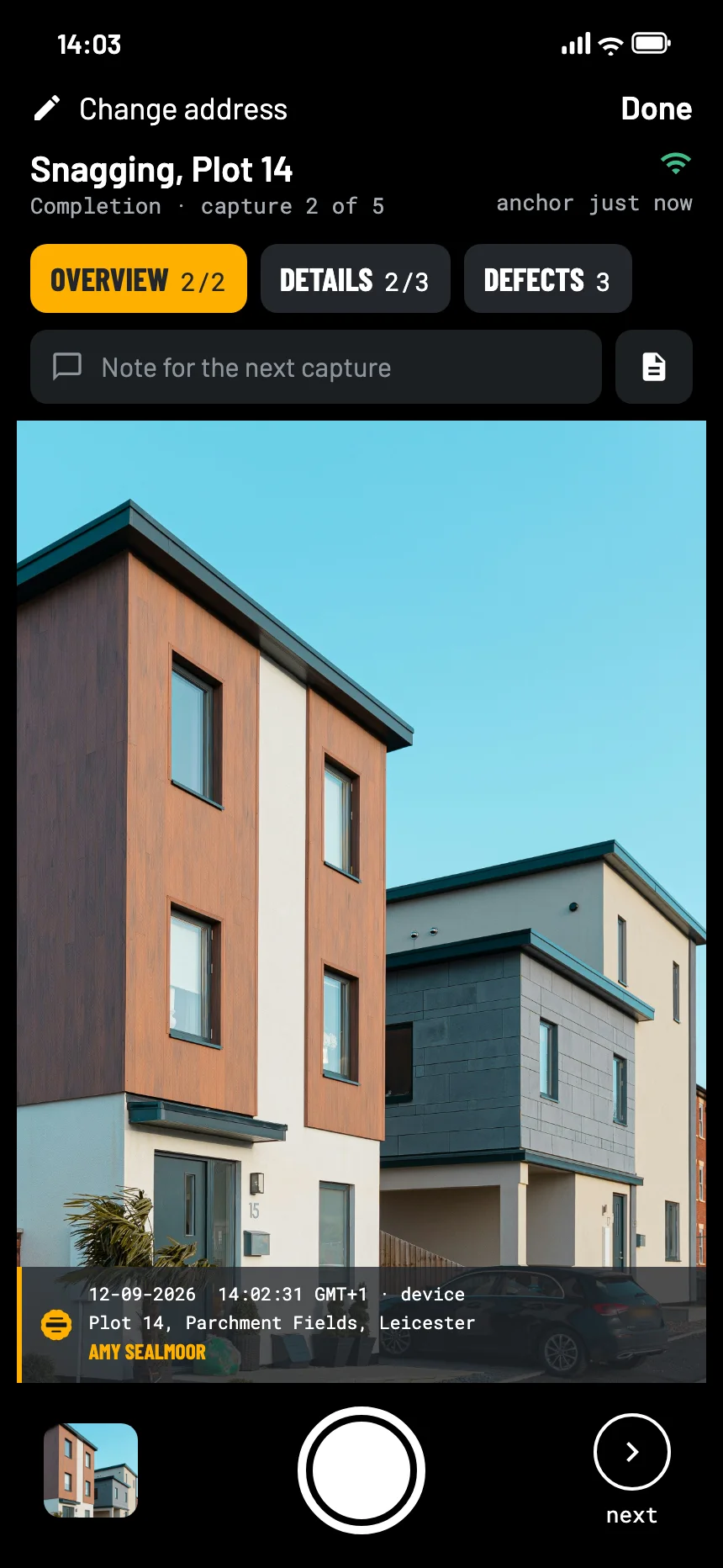
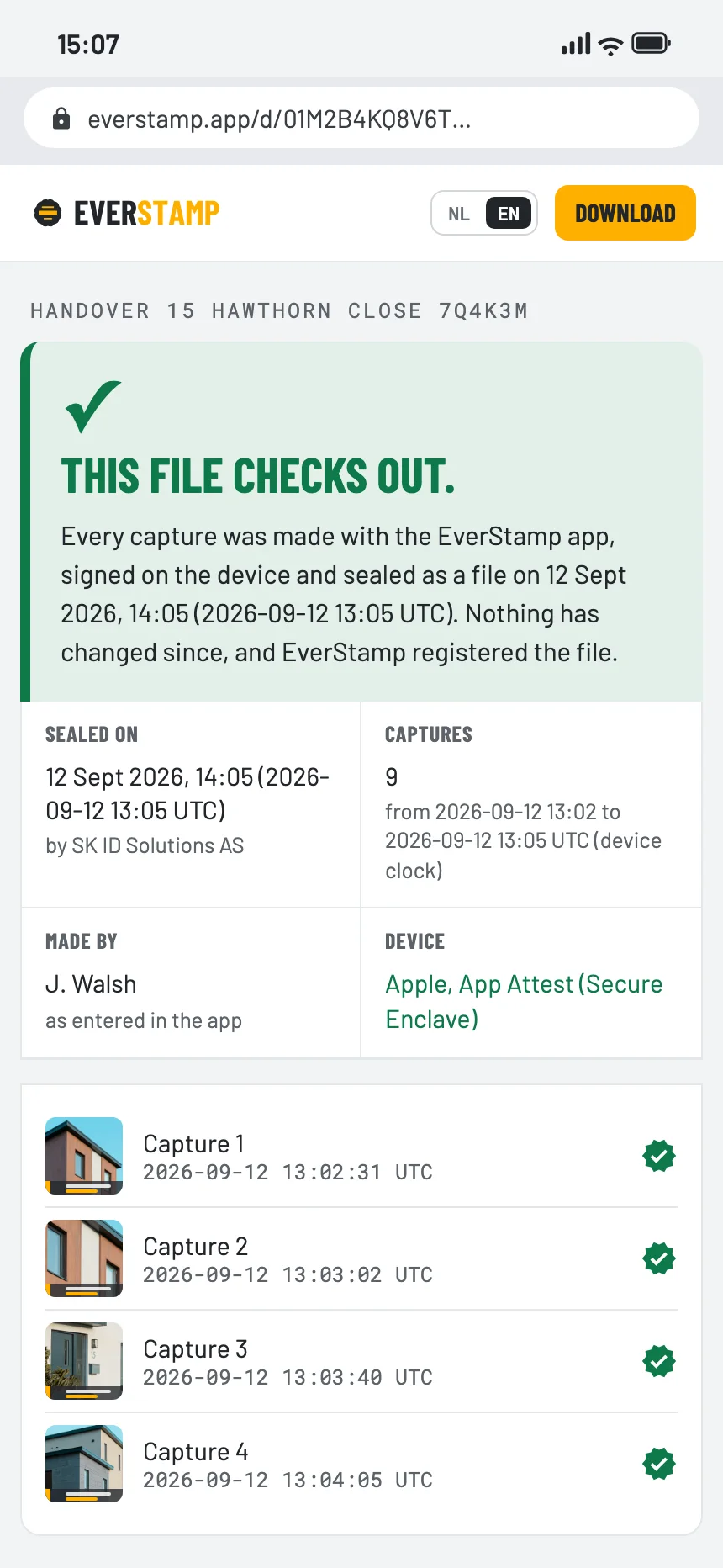
Walk your new home at completion and photograph every snag with EverStamp. Each photo carries the date, the time and the address, an independent service timestamps the file, and the builder, the warranty provider or the ombudsman checks it in the browser.
A spreadsheet of snags says what you saw, not what it looked like or when. The site manager reads it differently from you.
Weeks later the builder asks whether that crack was there on the day or appeared since. A camera roll cannot answer that.
When the builder says a snag is done, you want the before and the after side by side, from the same spot.
Under NHBC’s Buildmark warranty, the builder has to put right defects that are reported in the first two years after completion. The New Homes Quality Code gives buyers a pre-completion inspection, and since the 2026 update buyers may also carry it out themselves with the NHQB checklist. A complaint the developer does not resolve can go to the New Homes Ombudsman, if the issue arose within two years of reservation or completion, whichever is later.
Sources: NHBC, Buildmark cover; HomeOwners Alliance, New Homes Ombudsman and consumer codes
The Completion template in the app has three steps: an overview, the details, and the defects you find. Defects are optional in the template, so a clean room does not hold up the file, and every snag you do find sits in the same sealed series.
When the builder says the snags are fixed, go back and photograph the same spots with the Repair check template, in a new file.
Room by room, snag by snag. Photograph each one close up and from a step back, so the builder can find it.
An independent service timestamps the whole series. The date of your snagging is then fixed, and anything added later shows up.
As a PDF report with a QR code, or as a link. When the repairs are done, a Repair check in a second file shows before and after.
One link or one PDF, opened in the browser without an account. Every snag in the order you photographed it, with the time from an independent service.

Yes. You walk the house with the app and the Completion checklist and photograph what you find. You can still hire a snagging inspector for a professional survey, and they can use EverStamp too.
No. They open the file or the link in a browser. Only the person taking the photos needs the app, and Basis is free for one file a month.
Make a new file each time. Each one carries its own timestamp, so the order in which problems appeared stays clear.
The date on an ordinary photo comes from the phone and can be changed afterwards. Here the time that counts comes from an independent service, and the page shows the window between the photo and the stamp.
Basis is free: one file a month, with the same seal as Plus.
Move-in and move-out, meter readings, the state of the place at handover.
Read more →A record of your house before the neighbours start digging or building.
Read more →Before and after, extra work, and what was under the floor before it was closed up.
Read more →