EverStamp
Home › Personal › Car hire
Picking up or returning a car

Hire car photos the rental company can check

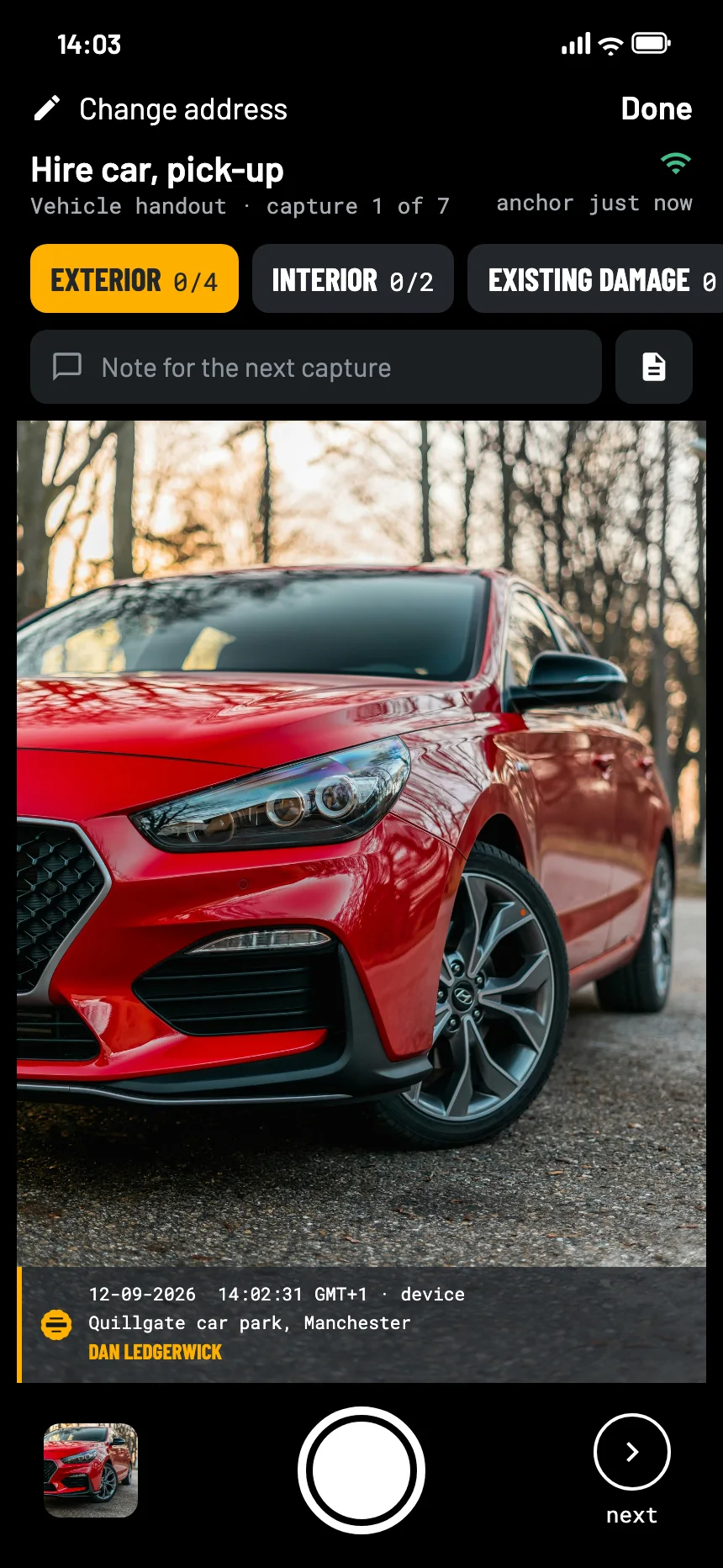
Ten minutes with EverStamp at the pick-up and again at the return: every side, the dashboard, the fuel and every scratch, each photo with the date, the time and the place in it, timestamped by an independent service.
Rent out cars yourself? How to record handout and return →

The EverStamp camera when picking up a hire car: the front of the red car in the viewfinder, with the stamp bar in the picture
Where it goes wrong

The charge arrives after you have gone

A scratch you did not make

The damage charge comes by email weeks later, with their photos and not yours.

Photos without a date anyone trusts

Your own pictures show the car, but not convincingly when. The other side only has to say they are from later.

No time at the desk

Pick-up is rushed and the car park is dark. A checklist makes sure the tyres and the roof are not the part you forgot.

What to photograph

Every side, the inside and the fuel

The Vehicle handout template in the app asks for at least four photos of the outside, two of the inside, any existing damage, and the fuel or charge. At the return, Vehicle intake adds the number plate and the mileage as fields.

On Vehicle intake the plate and the mileage go in as fields, under the same signature as the photo. The app reads along in the viewfinder at that step and proposes them; you confirm.

Exteriorat least 4
  • Front, rear and both sides
  • Roof and bumpers
  • Wheels and tyres
Interiorat least 2
  • Seats and floor
  • Dashboard with the mileage
Existing damageoptional
  • Every scratch and dent close up
  • With a hand or a coin for scale
Fuel or chargeat least 1
  • The gauge, with the engine on
How it goes

Shoot, close, send it on

01

Walk round the car at pick-up

Every side, the inside, the fuel and every mark, following the checklist. It works in an underground car park with no signal.

02

Close the file before you drive off

An independent service timestamps it. The time of your photos is then fixed, not just claimed.

03

Do it again at the return

A second file at the drop-off. If a charge comes, you send both.

At the other end

What the rental company or your card issuer sees

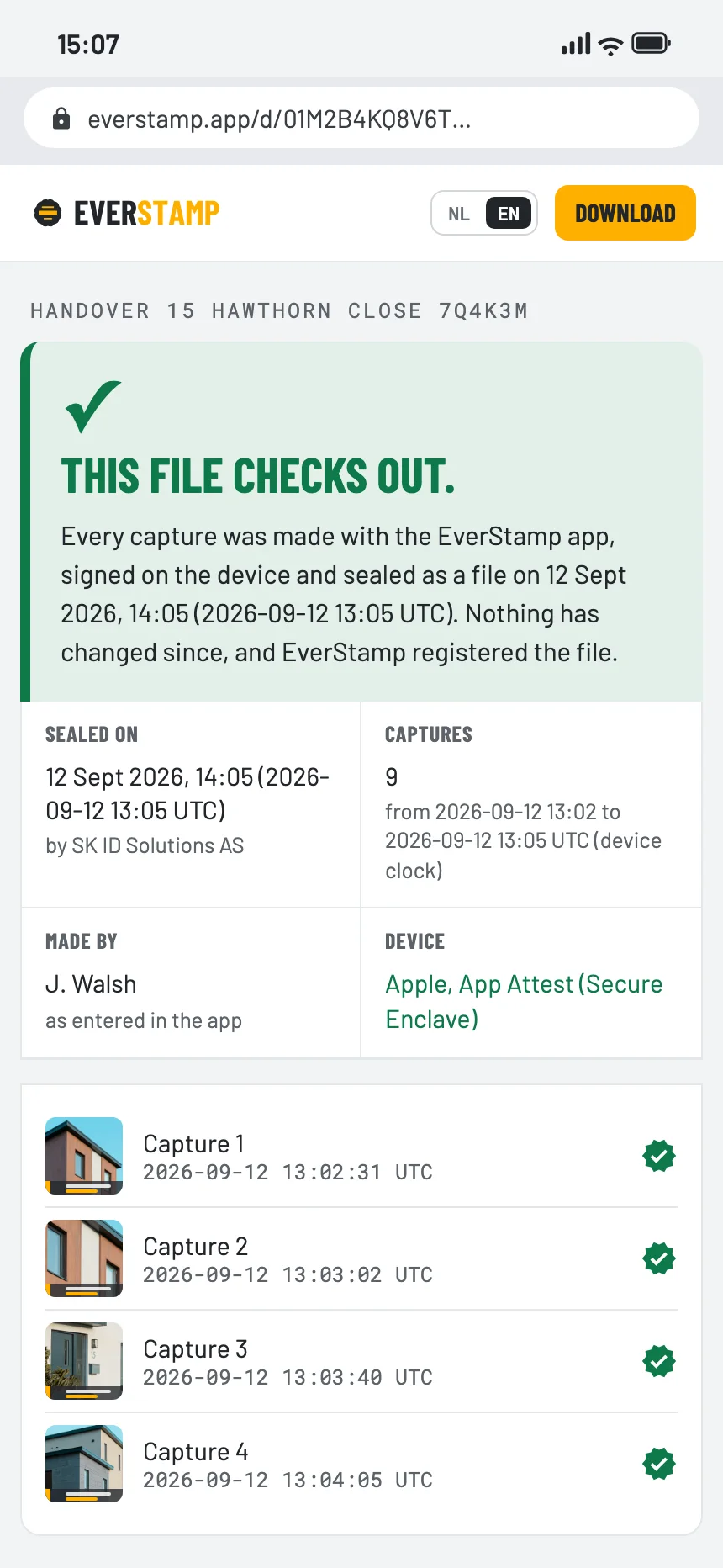
They open the file in the browser, with no account and nothing to install: every side of the car, the fuel and the mileage, with the time from an independent service.

The file establishes
  • That these photos existed in this form at the time of the timestamp
  • That they were taken with this app, on this phone
  • That anything added, removed or changed since then shows up
It leaves to someone else
  • Whether a scratch is covered by your agreement
  • What happened while the car was out of your sight
  • What a repair should cost
The verification page in the browser: this file checks out
Questions

What people ask

Does the rental company need the app?

No. They open the file or the link in a browser. Only the person taking the photos needs the app, and Basis is free for one file a month.

What if the car park has no signal?

The app carries on. Each photo is signed on the phone straight away, and the file is sealed once you are back online. The file shows how long that took.

Can I use it when I return a lease car?

Yes, in the same way: every side, the inside and the mileage on the day you hand it back.

Is one file a month enough?

Pick-up and return are two files. Basis gives you one a month; Plus gives you five.

Ten minutes at the desk

Basis is free: one file a month, with the same seal as Plus.

Get the app

Similar moments