EverStamp
Home › How it works

How EverStamp works

This page explains the chain and says exactly where it stops. If you only want to know what the app does, the home page is the better place.

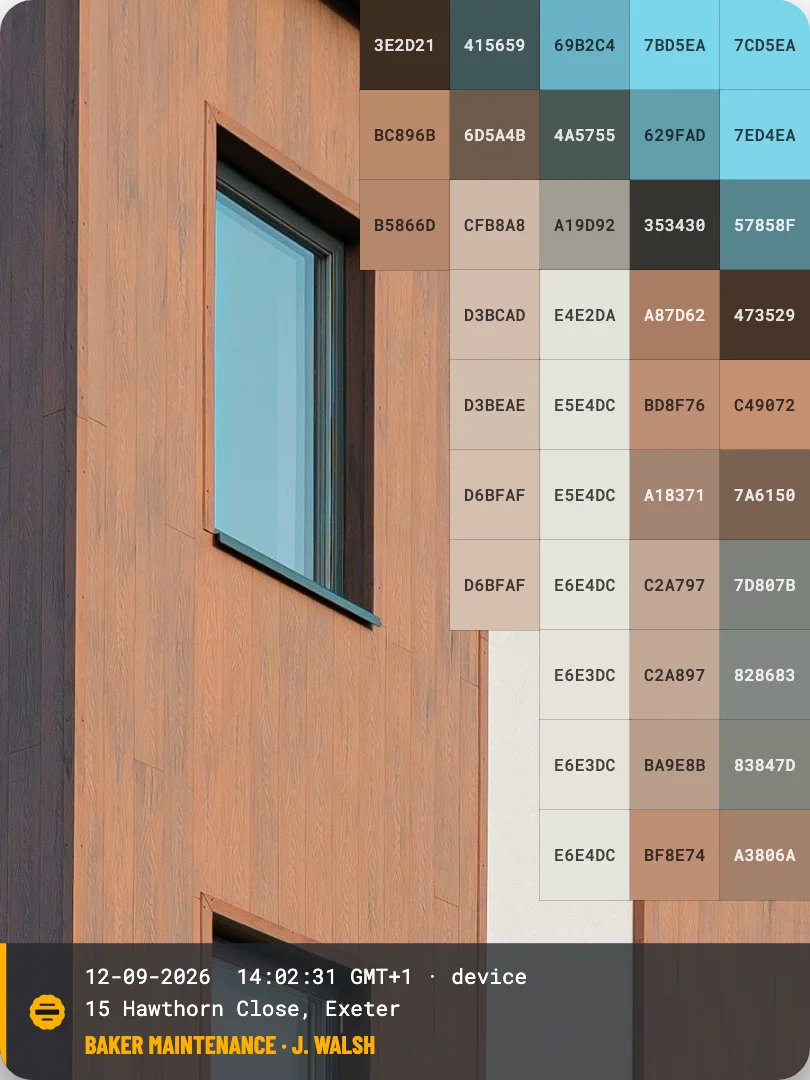
A photo of a house front, half covered by the hexadecimal values of its pixels, with the stamp bar along the bottom
InvisibleVisible
One capture, up close

What you can see, and what you cannot

The bar is the part anyone can read, on screen or on paper. The rest travels with the image and the file, and only a check can see it. Change a single pixel and that check fails.

The stamp bar, in the imagevisible
SHA-256 of the image9c4e1f7a…5b8e
Signed on the devicehardware key
C2PA manifest in the imageC2PA
Qualified timestamp on the fileRFC 3161
One pixel changeddoes not check out
In the app

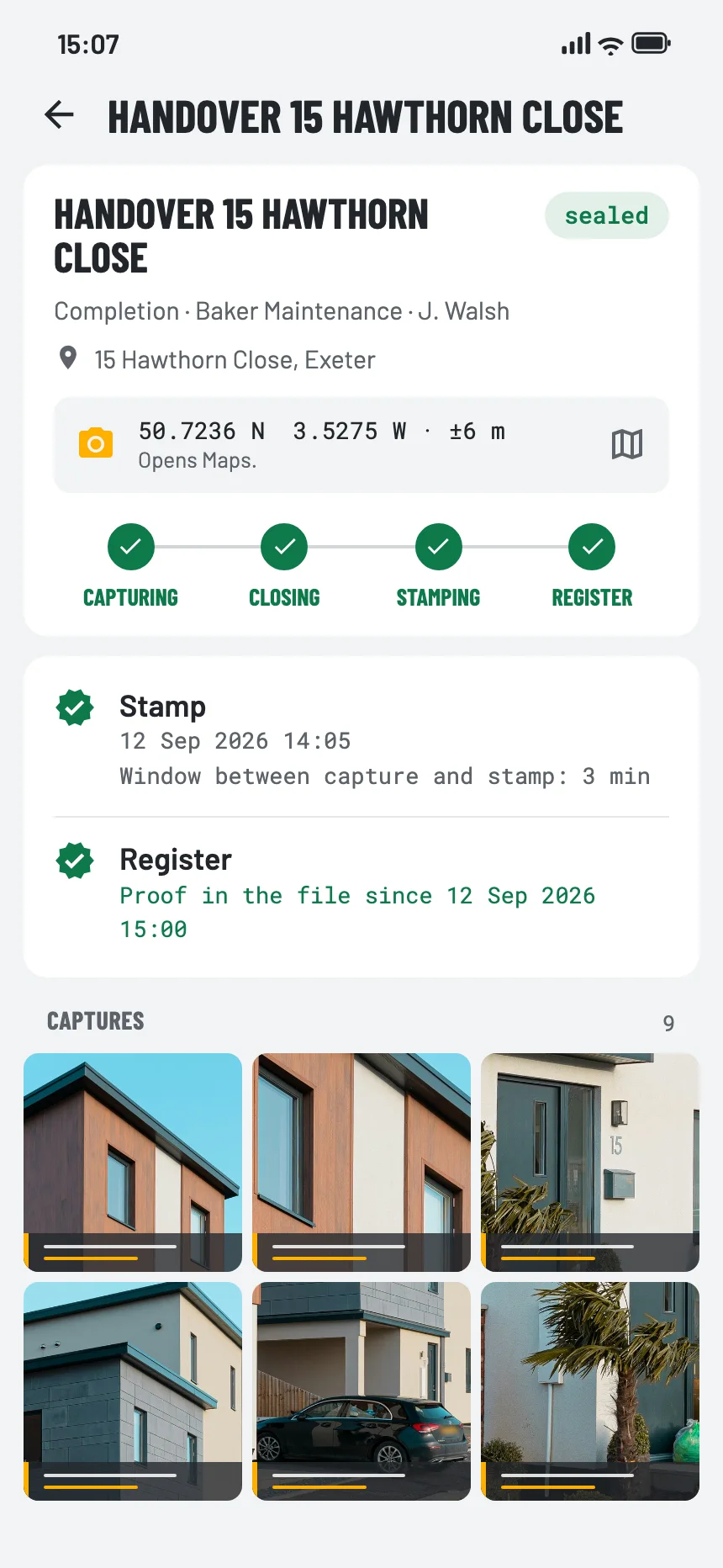
Four states, and the file shows each one

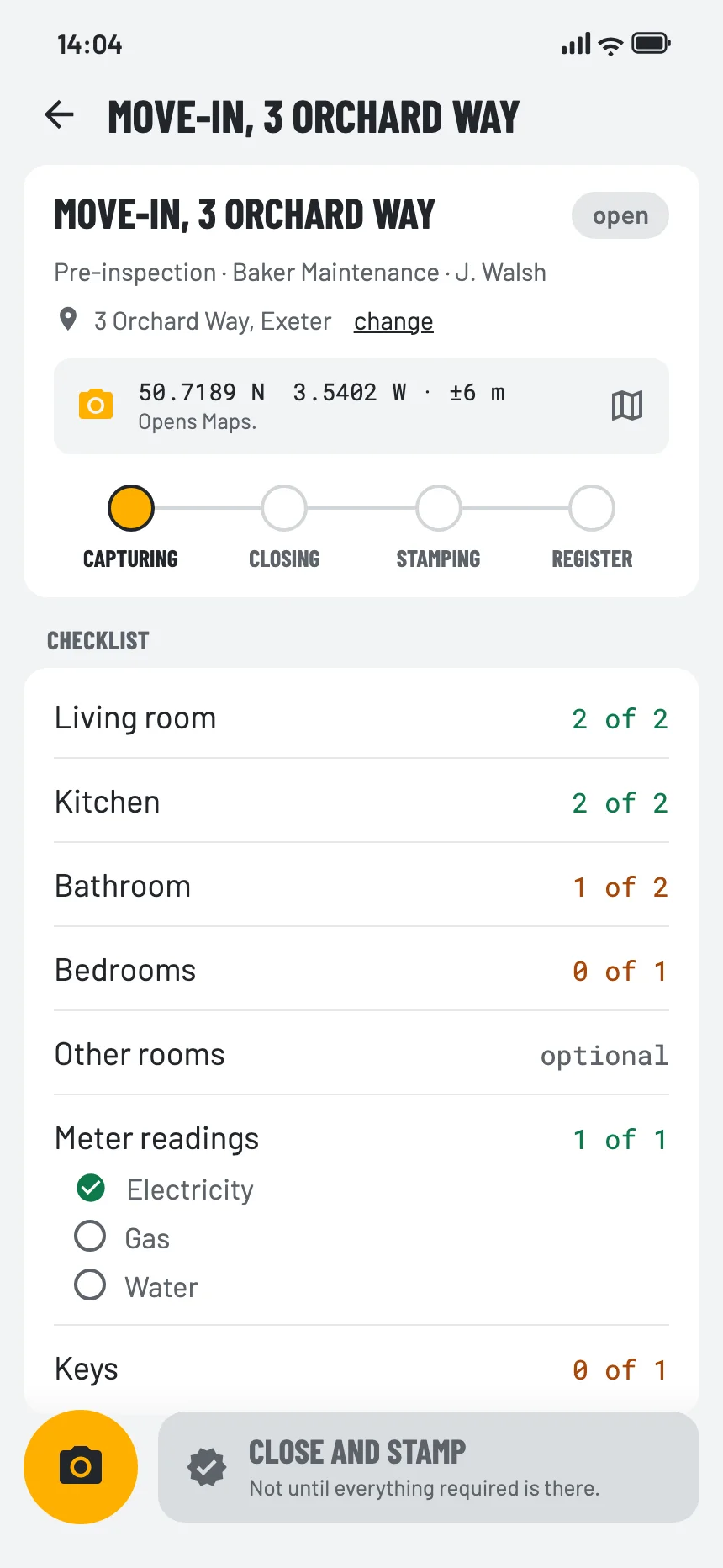
Every file shows the chain as a row of four dots, in the app’s own words. While it is open, it is still collecting captures. Once it is sealed, all four are green.

CapturingEach capture is signed on the phone and points at the one before it.
ClosingThe series is summed up in one fingerprint, with the number of captures in it.
StampingA qualified trust service puts its own time on that fingerprint.
RegisterA fingerprint goes into the public log, which is timestamped in turn.
An open file: the first of four dots is active, and the checklist shows a missing gas reading
OpenStill capturing. The checklist shows what is missing, and closing waits until the required steps are there.
A sealed file: all four dots are green, with the stamp and the register entry below
SealedStamped by the trust service and registered in the log. From here on, any change shows up.
The chain

Four links, from the shutter to the recipient

Each link does one thing, and each link says what it does not do.

ON THE PHONEhash, sign, count01THE SERIESsummed up in one fingerprint02THE SEALa qualified service03THE LOG108 bytes, public04THE RECIPIENTchecks in a browser05every check but one needs nothing from EverStamp
1

On the device, at the moment itself

The moment the camera hands the photo back, the image is hashed and signed with a key from the secure hardware in your phone. Apple or Google attested that key when it was created: it exists only on this device and cannot leave it. The same step carries the device clock, the location if you have it on, and a counter that only goes up.

What this link does not do: establish what the photo shows. A photo of a screen is still a photo. What the app does carry is a signal that says something about it: the movement of the phone in the second around the capture.

2

The series, and closing the file

Every capture points at the one before it, and together they form a tree. The tree also holds the number of captures, so a clipped tail shows up. When the file closes, the root of that tree, one hash that sums up every capture, goes to a qualified timestamping service on the European trust list. It stamps with its own audited clock.

What this link does not do: accept a time you supply. The protocol has no field for asking for a time. That is why a file made today can never carry yesterday’s date.

3

The log

A 108-byte fingerprint of every file goes into a public log, which is itself timestamped in turn. That is how you can tell afterwards that a file came out of our app, rather than being invented somewhere else with a real timestamp wrapped around it.

What is not in it: your photos, or anything that identifies you or your customer. The log holds numbers. Photos reach us in three cases: a share link, where the key stays in the link; a delivery answering a company’s request; and every file, if your organisation switched on storage at EverStamp. In the last two we hold the key for that company as well; technically we can therefore open them too, and we do that only at that company’s written request, or when a court or authority orders or demands it under the law.

4

At the recipient

They get a PDF and an archive. Dragging either onto the page is enough; the sums run in the browser and the file does not come to us; only the question whether our registry knows the entry goes to us. Anyone who would rather check it themselves can use ordinary OpenSSL and the open tooling for Content Credentials.

What this link does not do: pass judgement on your case. The page says what was recorded and when, and where that stops. What it is worth is for the recipient to weigh.

At the other end

What the recipient gets

A file travels as an archive, a report or a link. Whichever one arrives, it leads to the same check.

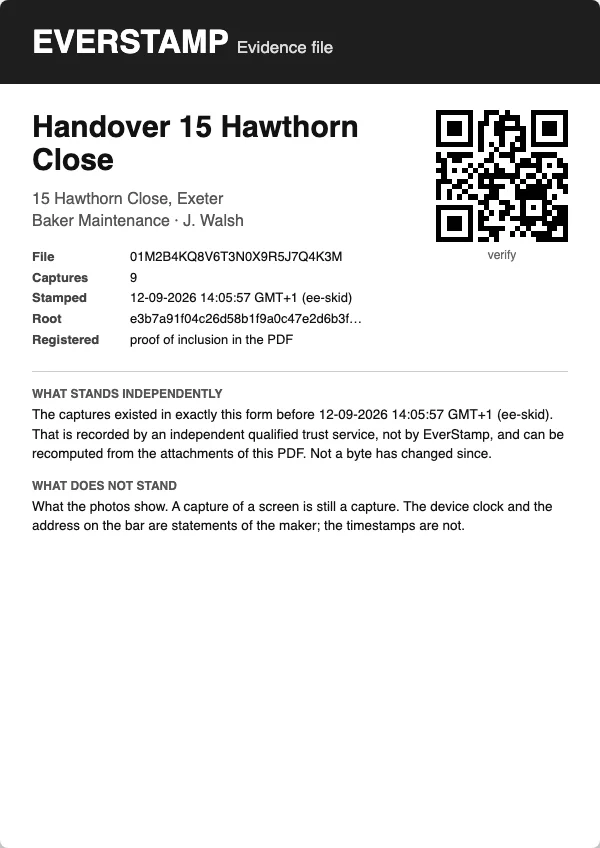
The first page of the PDF report, with the QR code at the top right
The reportA PDF with the photos, the file number and a QR code that opens the check.
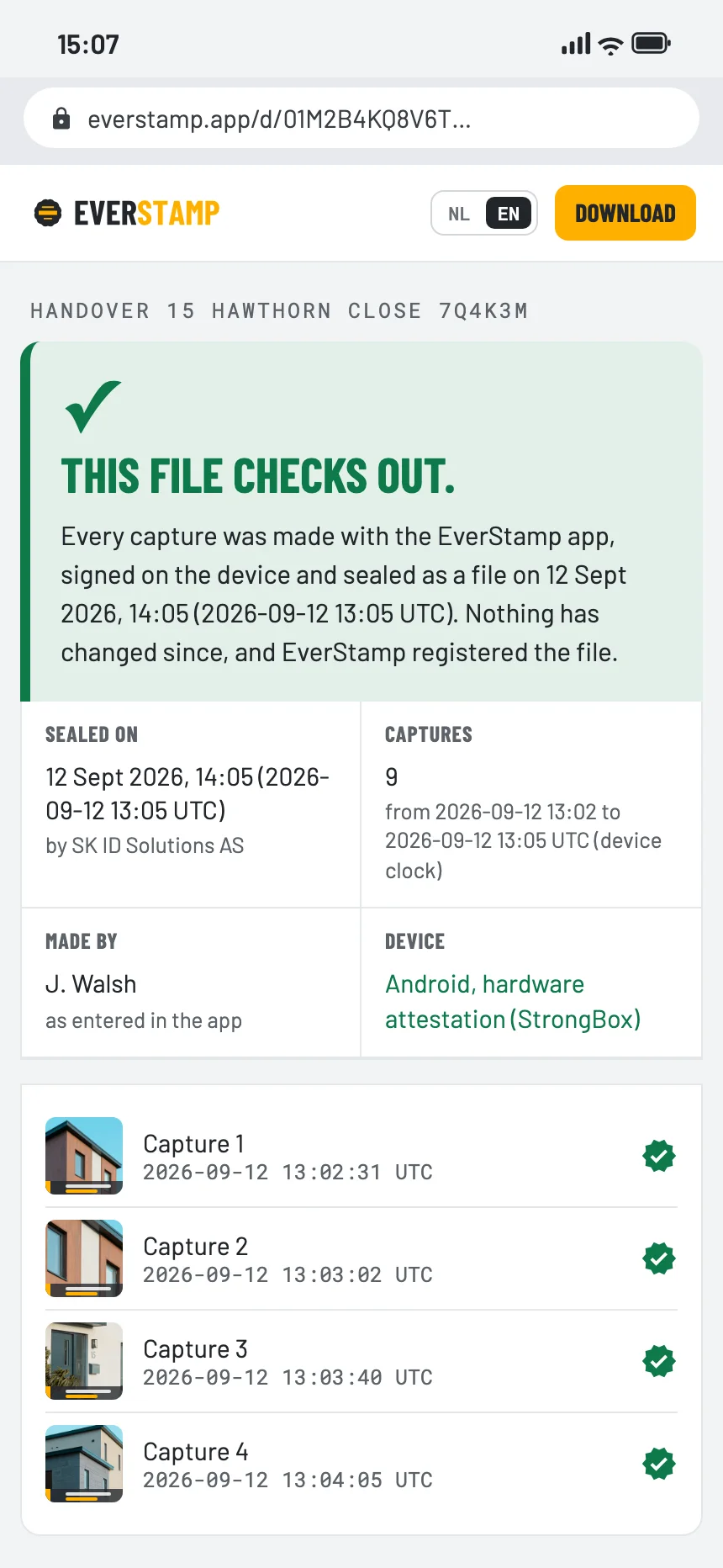
The verification page on a phone: this file checks out, made on Android with hardware attestation
The checkIn the browser, in plain words: what was recorded, when, on what kind of device, and whether anything changed.
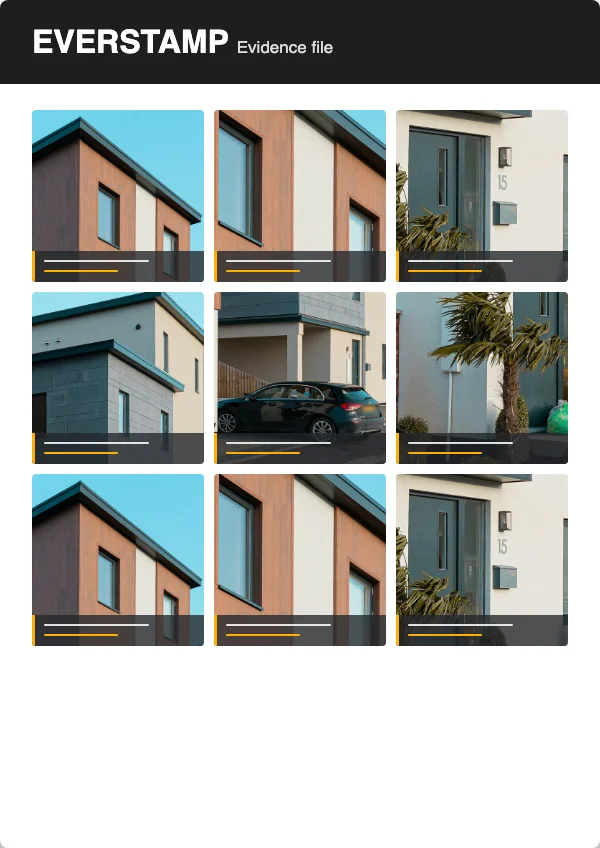
A report page with the captures of the file
The photosEvery capture, in the report and at full resolution in the archive.
The foundations

The standards this is built on, by name

Naming them is the point. A claim you cannot look up is a claim you have to take on faith, and every one of these has a public specification anyone can read.

WhatWhich standardWhat it does here
Provenance in the imageC2PA, Content CredentialsThe photo carries its own origin: which app and which device produced it, signed. This is the standard built for the question “who made this, and when”, and it is the vocabulary in which data provenance is normally discussed.
The timestampRFC 3161, from a qualified service on the EU Trusted ListThe service signs a hash with its own audited clock. The protocol has no field in which a client can ask for a time, which is the reason backdating is not a matter of policy but of arithmetic.
The seriesSHA-256 and a Merkle treeEvery capture is hashed, each points at the one before it, and the tree has one root: one hash that sums up every capture. The count sits inside the tree, so a clipped tail shows up. One stamp on the root therefore covers every capture underneath it.
The deviceApp Attest on iOS, hardware key attestation on AndroidThe signing key lives in secure hardware and cannot be exported. Apple or Google attests that the key was created there, in our app, on a device that had not been broken open. The counter that fixes the order comes from the same place.
The lower edgedrand, a public randomness beaconA value nobody can know in advance, fetched at the last sync and carried into the file. A capture cannot have been made before the value it contains existed.
Who may stampeIDAS, Regulation (EU) 910/2014, Article 41A qualified service is supervised and listed. The time it indicates, and the integrity of the data bound to it, are presumed accurate. In the United Kingdom the same rule applies through assimilated law. In the United States it does not: there it is FRE 902(13) and (14), self-authentication through a certification by a qualified person.

Two things are deliberately absent from this list. There is no blockchain: a public log that is itself timestamped by the same qualified service is cheaper, faster and checkable with tools everyone already has. And there is no proprietary format of ours holding the whole thing up, because a format only we can read would put us back at the centre, which is the thing we are trying to avoid.

The honest version of “when”

We show the window, not a moment

Every timestamp camera puts a time on your photo. That time comes from your phone’s clock, and you can change that clock yourself. What we record is a window with two hard edges around it, and how narrow that window is sits in your file as a number.

ONE QUALIFIED STAMP PER FILE (BASIS, PLUS AND BUSINESS)16:31:12lower edge: the anchor16:47:03upper edge: the stampa window of 15 min 51 s around twelve capturesONE QUALIFIED STAMP PER CAPTURE (ENTERPRISE)a window of its own per capture, usually under a minute when onlineWith no signal the device signs straight away and the stamp follows once there is coverage. The window gets wider, and that number is in the file.
The lower edgeA public random value nobody can know in advance, fetched at the last sync. The capture cannot have been made before it.
The upper edgeThe qualified timestamp. From that moment the file existed in this form, and any change after that shows up.
The orderA counter from the device hardware that only goes up. Nothing can be cut out of the middle without the gap showing.
The capture timeThe device clock, marked in the file as a stated value. We show it, but we do not lean on it.
The heart of it

What this does and does not establish

This is the block that also appears in the app, in the report and on the verification page. The same words everywhere, so nobody feels caught out later.

What this establishes
  • These captures existed in exactly this form before the moment of stamping. Recorded by an independent service, not by EverStamp, and checkable against that service’s signature.
  • Any change shows up. A single changed byte breaks the signature. If something is appended later, the page reports that as an addition, with the first stamp date alongside.
  • Backdating is not possible. The service stamps with its own audited clock and there is no dial to turn.
  • The captures came from our app, on a device that had not been broken open. The device hardware attests to that, and the log confirms that we know this file.
What this does not establish
  • What the photo shows. A photo of a screen is still a photo. No technique can establish that a camera was pointed at the real thing.
  • The exact moment of capture. The device clock is a stated value. What is fixed is the window the capture fell inside, and that window is in the file as a number.
  • That you recorded everything. Whoever takes the photos chooses what to photograph and what to show. That is why an extract states on its own face that it is capture 7 of 12.
  • How anyone will weigh it. We record; what a file is worth is for the party assessing it to decide.
Checking the sums

Every check but one works without us, the last asks our registry

The verification page shows the checks that apply to the file in front of it: a PDF report gets fewer than the archive from the app, and a light file or one without a checklist fewer again. What we add is that you can redo the sums yourself: your browser does every check but one with public standards. The verdict needs the last one, and that one asks our registry whether it knows the file.

The timestamp is genuine and covers exactly this documentyour browser does it
The timestamping service is on the European trust list, and was at the timeyour browser does it
Nothing was added to the document after the timestampyour browser does it
Every photo checks out against its signature and its hashyour browser does it
The sequence is unbroken: every photo points to the one beforeyour browser does it
The seal covers the whole fileyour browser does it
The device signature under every photo is validyour browser does it
The anchor for the lower edge of the window verifiesyour browser does it
The registry receipt checks out: EverStamp registered this fileasks our registry

The check against our registry is the only one that tells a file from our app apart from something invented elsewhere with a real timestamp wrapped around it. If the registry cannot be reached, the page says so, and that check stays open instead of quietly passing; without it the verdict is never green. For that, the page asks our registry one thing: do you know this entry? We see the IP address and the time, for thirty days, and not which file it is.
What an owner can still do

Three things technology cannot solve

They apply to every piece of material ever put in front of anyone, from a paper receipt to a witness statement. We put them here because a recipient will think of them anyway.

1

Choosing what you record

Photographing the crack and not the leaking roof. A checklist makes that visible: it says which steps are still open.

2

Choosing what you show

Keeping quiet about a file that does not suit you. That is why an extract states on its own face that it is capture 7 of 12, and why the other party can ask for the whole thing.

3

Making several files

And picking the most convenient one afterwards. Each was genuinely made at its own moment, so none of them is false; each does carry its own date.

Questions

What people ask us

What does “qualified” actually mean?

A qualified timestamping service is supervised and listed on the European trust list. Under eIDAS Article 41 the time, and the integrity of the data bound to it, are presumed accurate; Article 13 puts liability for the stamp on that service. Note what the presumption covers and what it does not: it is about the time and the integrity, not about who has to prove what in your dispute. In the United Kingdom the same rule applies through assimilated law, and an EU qualified service counts as qualified there. In the United States it works differently: there is no such presumption, and electronic records are self-authenticated under FRE 902(13) and (14) through a certification by a qualified person, which is not something we provide today.

What if I lose my file?

Then you have nothing, and we cannot help you. On the ordinary route your photos never reach us, so there is nothing for us to send back. Our 108 bytes in the log only confirm that a file existed, not what was in it. That is the flip side of photos staying on your own device, and it is exactly why Plus has a backup to your own cloud. The exceptions are a file you delivered in answer to a company’s request, and any file made while your organisation had storage at EverStamp switched on. Those sit with us, and that company can open them.

Can I add a photo from my camera roll?

No. The app only records with its own camera, so every photo in a file sits in the signed series. The photo library is used only to pick your company logo in Settings.

What if I want to remove a capture?

You can, and the image goes. What stays is the fact that something was struck through, with the reason alongside. A file that quietly loses something is worth less than one that shows its own corrections, and technically, removing it would break all the other checks anyway.

Do you use blockchain?

No. We use a public log that is itself timestamped by the same qualified service. That is cheaper, faster and checkable with tools everyone already has.

Does it work on Android too?

Yes. To the customer and the recipient the phone makes no difference: the same file, the same page, the same report. On Android the key attestation comes from the secure hardware in the device, with Google as the issuer.

Check a file