EverStamp
Home › Features

Everything it does, and where each part stops

Take the photos, work through the checklist, close the file. That is all the person taking the photos has to do: the app puts the date, time and place into the image, works without a signal, and has an independent service timestamp the file. Below is everything the app and the dashboard do, part by part.

All of it

From the first photo into your own system
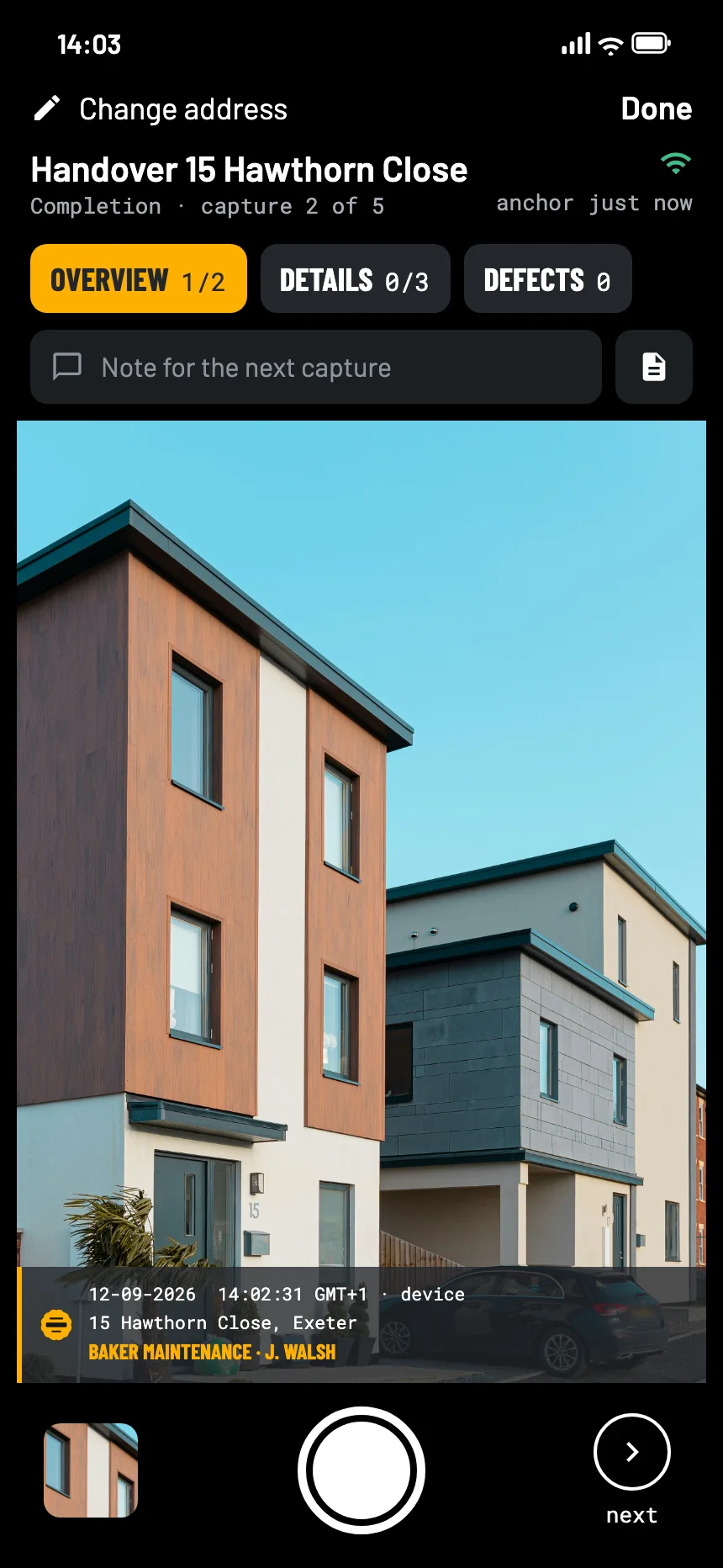
The EverStamp camera with the checklist at the top and the stamp bar in the viewfinder

Capturing

On site, with wet hands: the app says what is still missing and draws the details into the image.

The stamp barDate, time, address and company name drawn into the image, so it survives a printout.
ChecklistsSteps with a minimum number of photos, so the file says what is still open.
Fields per stepNumber plate, meter reading, serial number, date, a choice from a list. Under the same signature as the photo.
Text recognitionThe app reads along in the viewfinder at that step and proposes the plate or the meter reading. You confirm it, and your confirmation is what counts.
Works with no signalSigning happens on the device. The seal follows when you are back online, and the file records the gap.
Customer signature on siteSigned on the phone, inside the file rather than on a separate form. In a checklist with a signature step: Key handover, or on Business a checklist of your own.
Strike-through with a reasonRemove a capture and the fact that you did stays visible, with the reason next to it.
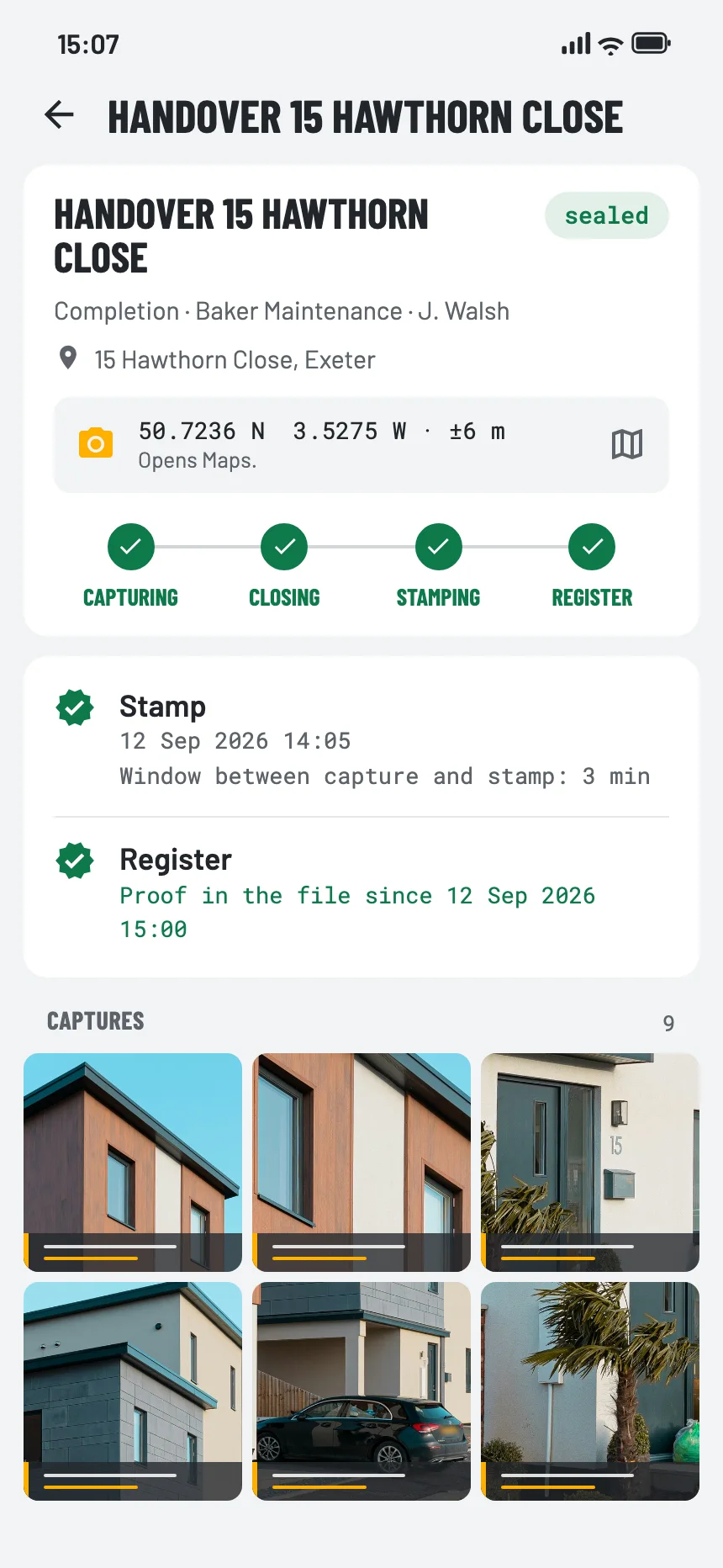
A sealed file in the app, with the stamp and the entry in the registry

Sealing and checking

Signed on the device, sealed by an independent service, and anyone can check it themselves.

The qualified sealA timestamp from a supervised service on the European trust list, applied when the file closes.
Signed on the deviceiPhone and Android both. The key lives in secure hardware and cannot be exported.
The public logA 108-byte fingerprint per file in an hourly-timestamped log that anyone can recompute.
Check it yourselfDrag the file onto a page. Every check but one works without us; the last one asks our registry whether it knows the file.
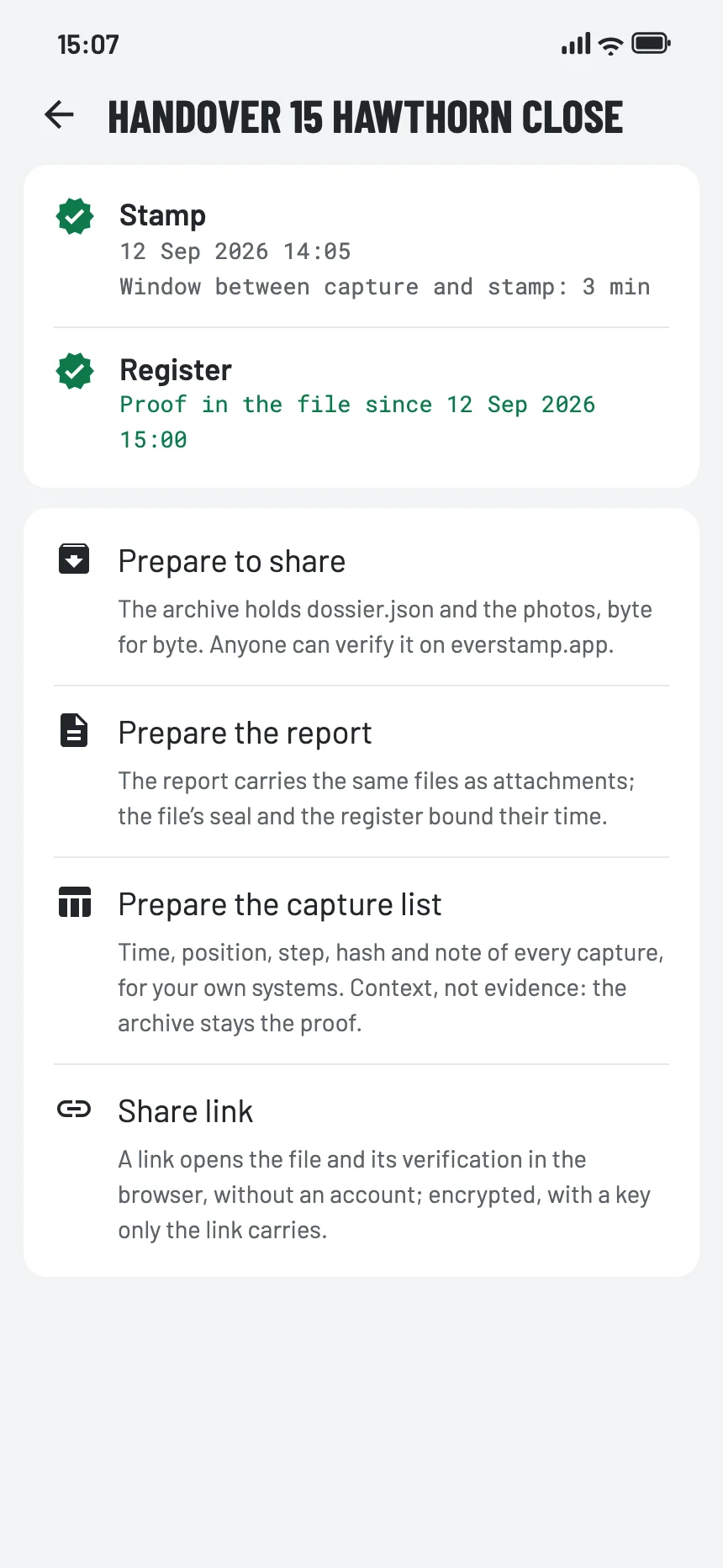
Getting a file ready to share: the archive, the report, the capture list or a share link

Report, sharing and storage

What you send on, how you share it, and where your photos stay.

The reportA PDF with the photos embedded, the file number, the verification URL and a QR code on the cover.
The archiveEvery capture at full resolution with all the metadata and the timestamp. Complete and self-contained.
The evidence extractOne or two captures, with the handful of hashes that show they fall under the file’s seal. Without showing the other ten.
Share linksEncrypted on the device; the key sits in the link and never reaches us. A week on Basis; on Plus up to 90 days, with a password if you want one.
Your logo on the reportAnd your own styling of the stamp bar on the Business plan.
Backup to your own cloudTo your own storage, not ours. The counterweight to photos that stay on your device.
Photos stay yoursOn your device. Refuse the location permission and the app carries on without one. No cookies on this site.
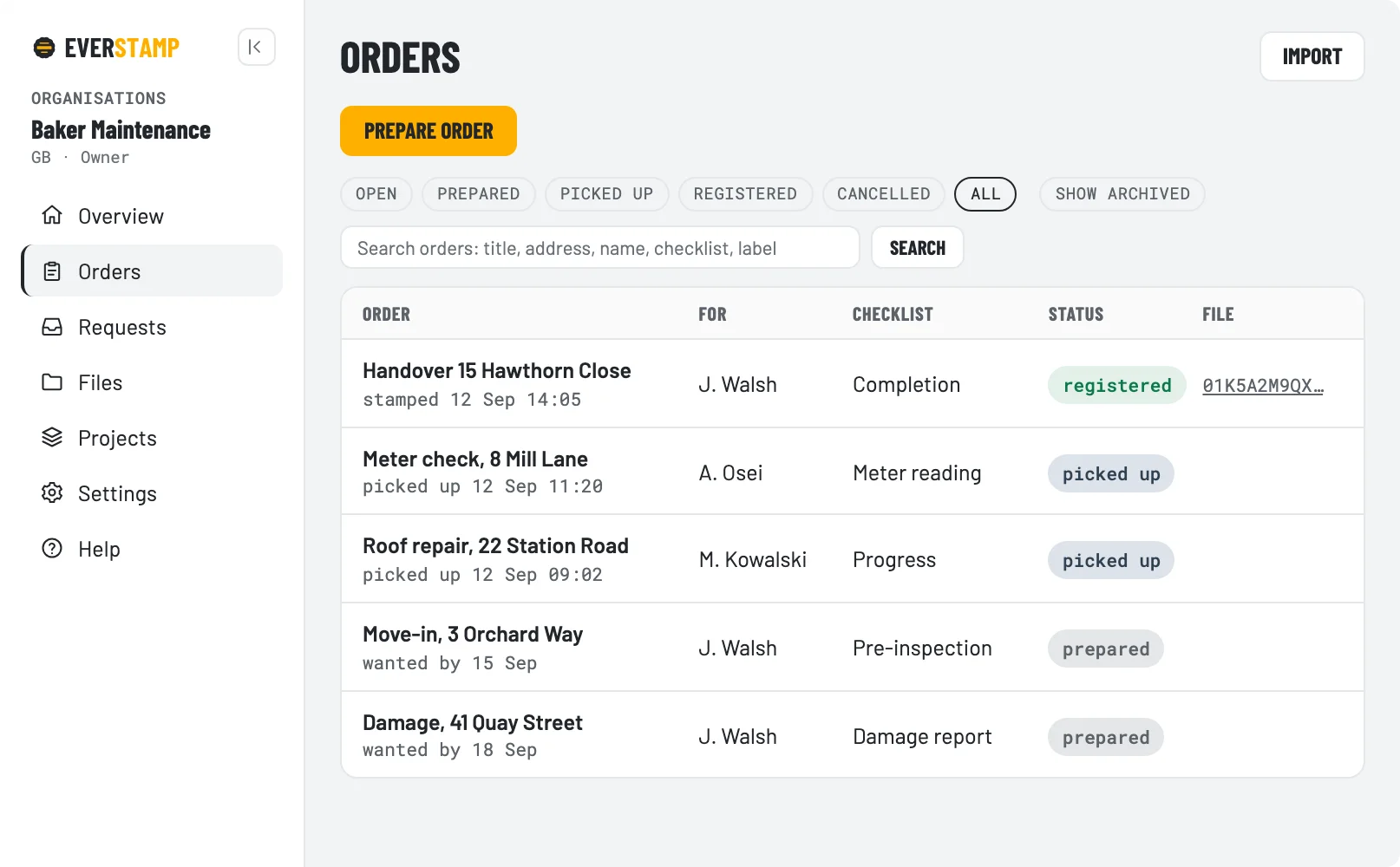
The dashboard with open orders and their status
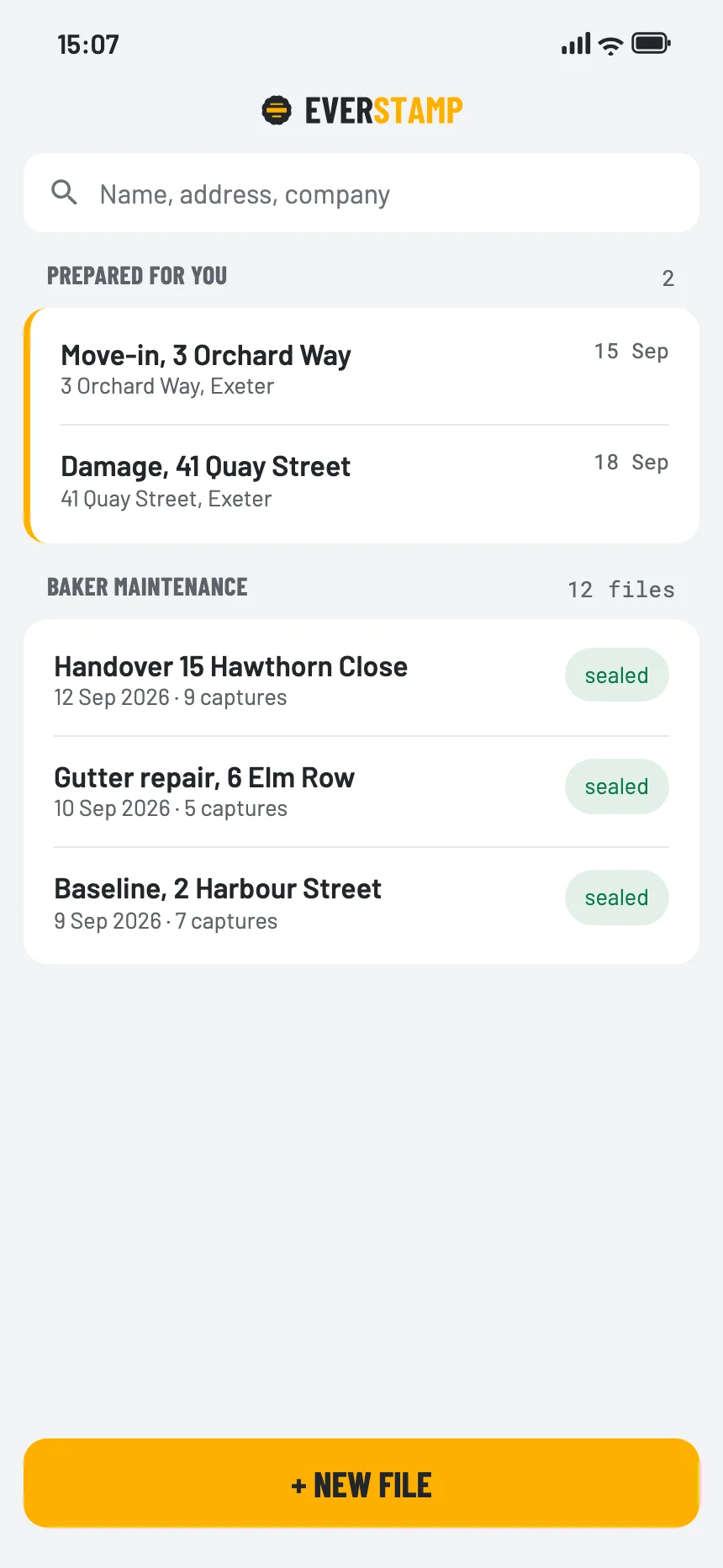
The file list in the app, with the orders set out for this person

Business

Orders set out, evidence gathered from outside, and everything in your own system.

The dashboardOrders, templates, members and the status of every file. The register by default; photos only where the organisation asked for that.
Templates of your ownYour checklist, your steps, your fields, versioned. The file records which version was used.
RequestsEvidence from someone without an account: a link and the free app. Same strength.
Webhooks and an APIFiles land in your own system. Search by number plate or meter reading.
Delivery into your systemOn Enterprise, the archive is delivered to you encrypted instead of being fetched.
Storage at EverStampIncluded with Business and Enterprise: every file kept with us, encrypted, for as long as the subscription runs. Off unless the organisation turns it on, and we then hold the key for them; we open files only at a written request, or when a court or authority orders or demands it under the law.
Export everythingAn administrator can pull a zip with everything belonging to the organisation, as JSON and CSV.

In detail

The six that make the difference

A smashed window pane close up, with the stamp bar at the bottom of the image: date and time, address, position, file and name

The stamp bar sits in the pixels

Date, time to the second, address and your company name, drawn into the image rather than stored beside it. It survives a printout, a screenshot and a photocopy, and it stays readable in black and white, because a report often arrives on paper. Nothing to set up: the first photo already carries it.

Where it stops: the bar shows the device clock, and that is a stated value. The file carries the timestamped time next to it, and that is the one that is fixed.

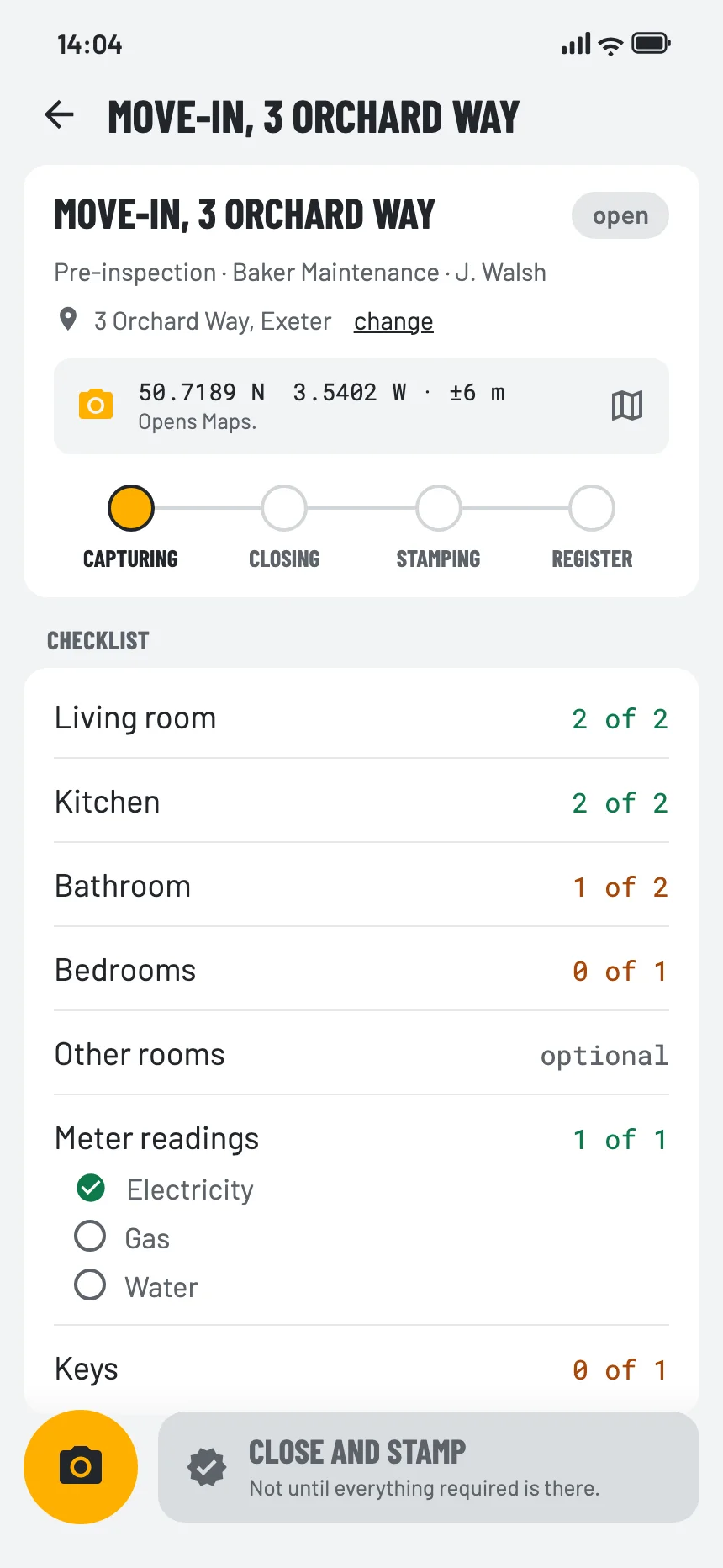
An open file with its checklist: the exterior done, the gas reading still missing

Checklists with fields, not just photos

A step asks for a minimum number of photos and for the things a photo cannot show: a number plate, a meter reading, a serial number, a date, a choice from a list. The app can read the plate or the meter in the viewfinder and propose it; you confirm, and your confirmation is what goes in. Every value travels inside the capture, under the device signature and the seal, so it sits under the same signature as the photo.

Where it stops: a checklist does not make the series complete. Whoever takes the photos still chooses what to photograph, and the report names the steps left open instead of hiding them.

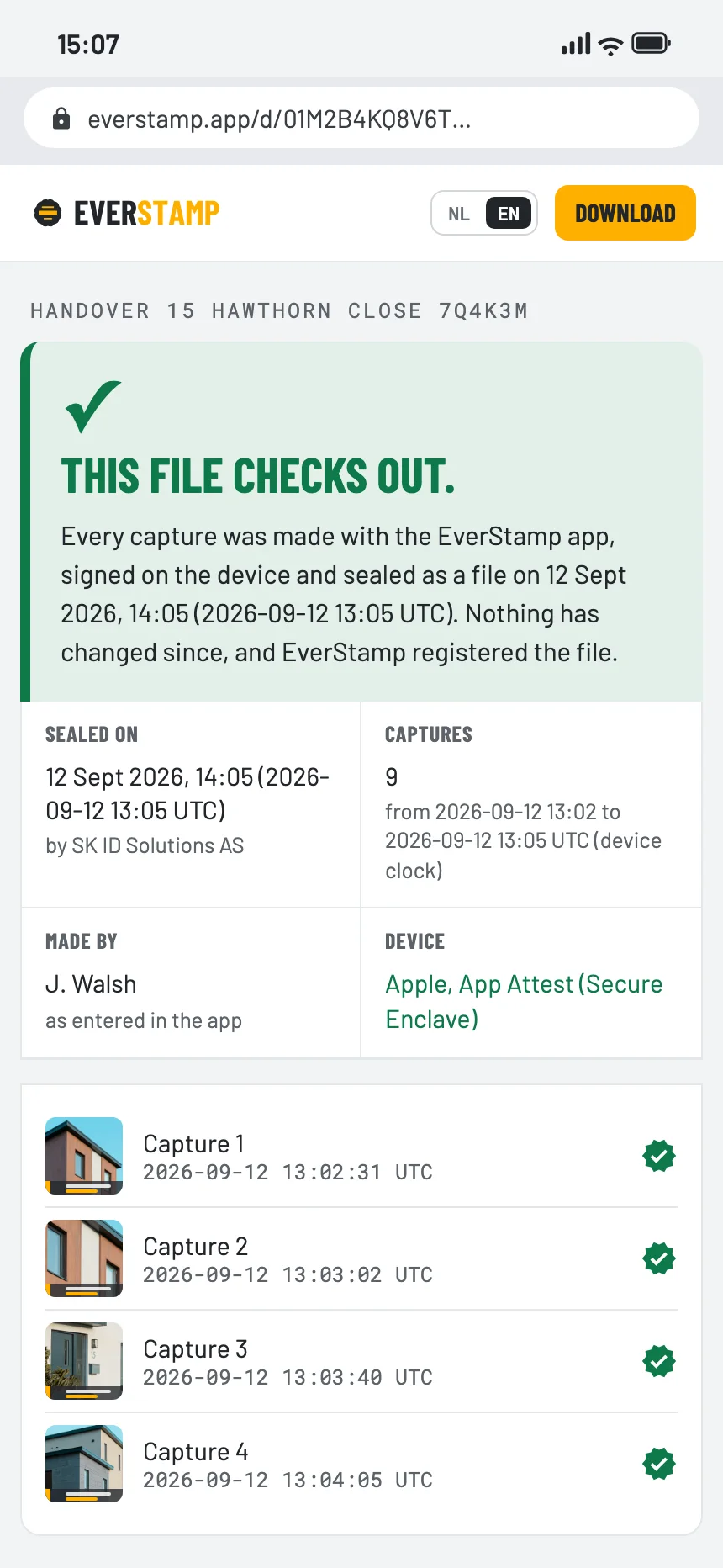
The verification page of a file made on an iPhone: it checks out, device Apple, App Attest (Secure Enclave)
iPhoneSecure Enclave, App Attest
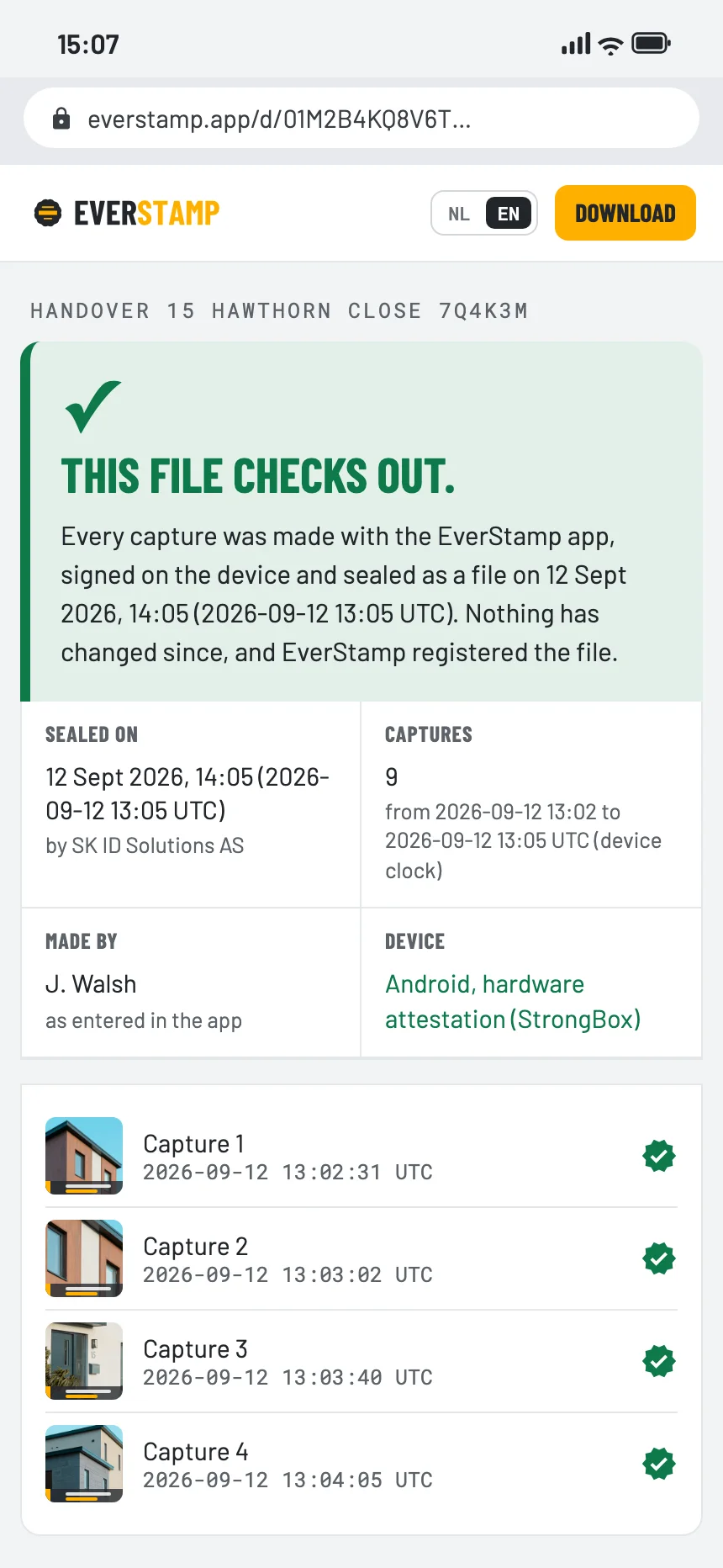
The verification page of a file made on Android: it checks out, device Android, hardware attestation (StrongBox)
Androidhardware keystore, Key Attestation

iPhone and Android carry the same weight

The signing key is created inside the secure hardware of the phone and cannot be exported, on either platform: the Secure Enclave on iPhone, the hardware keystore on Android. Apple attests it through App Attest, Google through hardware key attestation. The counter that fixes the order of your captures comes from the same place.

To the person receiving the file it makes no difference at all: the same file, the same report, the same verification page, the same checks. A team where half the crew is on Android does not end up with two classes of evidence.

Where it stops: attestation establishes that the app was unmodified on a genuine device. It says nothing about what the camera was pointed at.

capture 3 of 12

The evidence extract

A dispute is rarely about thirty photos. It is about the one showing the pipe, or the two showing the damage. So the app makes an extract: those captures at full resolution, plus the handful of hashes that show they fall under the file’s seal, plus the same timestamp as the whole file.

It carries exactly the same weight as the full file, because it hangs from the same seal. It fits in an email, where a full archive of thirty photos does not. And it keeps the other twenty-eight photos out of the hands of the other party, which in a home or a business is usually more than the argument is about.

Where it stops: an extract says on its own face that it is capture 3 of 12, and which ones are missing. That is deliberate. Anyone can then ask for the whole file.

The dashboard with open orders and their status
The app’s file list, with the orders prepared for this person

The dashboard, and the API underneath it

A company with five people on the road has a different question from a single user: who is going where, with which checklist, and is it done. The dashboard answers that. You set up orders with an address, a template and a person; they appear on that person’s phone under “Prepared for you”; and you watch the status move from prepared to picked up to registered. Members, roles and your own templates live there too, and you can search across everything your field staff recorded, including number plates and meter readings.

The same thing is available as an API with webhooks, so files land in your own system instead of in an inbox. That is the route for an insurer or a lender who wants the evidence to arrive where the claim already is.

What the dashboard shows: the registry: fingerprints, sequence numbers, seals and registry receipts. It can open photos in two places, and only because an organisation asked for it: the delivery answering a request, and files kept at EverStamp once an owner or administrator switches that on. Every opening through the dashboard or the API is written to that organisation’s audit log with who and when. Technically EverStamp can open them too, because we manage the key; we do that only at the organisation’s written request, or when a court or authority orders or demands it under the law.

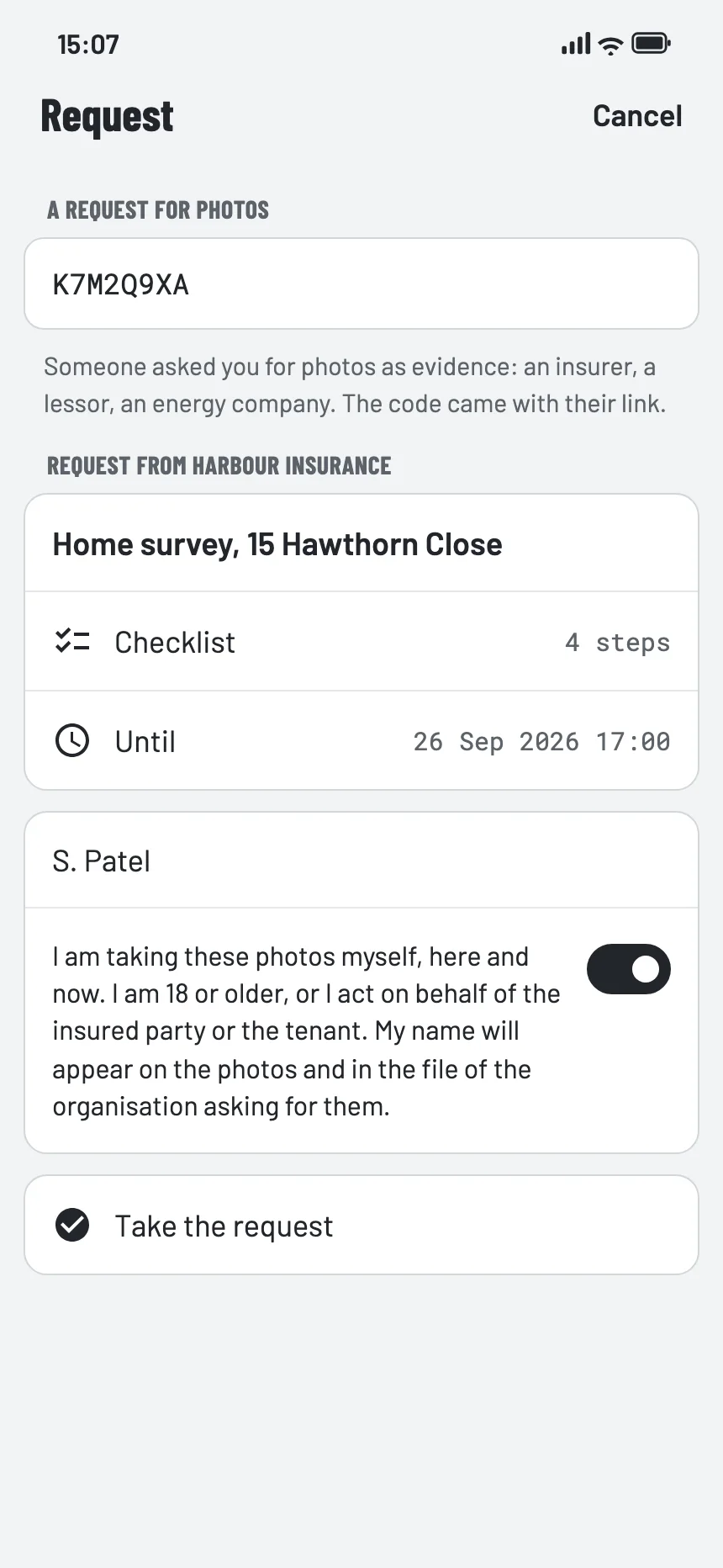
A request for photos in the app, with the statement the person confirms

Requests: evidence from someone outside your team

An insurer needs photos from the policyholder. An energy supplier needs a meter reading when someone moves house. A valuer needs photos of the property before a desktop valuation. None of those people want an account or a subscription.

So you send a link. They see who is asking and what for, they work through the checklist, and what comes back is a file with the same device signature, the same seal and the same registry entry as one made by your own field worker. They take the photos in the EverStamp app, which they install first if they do not have it yet.

Where it stops: a guest is a name on a file, not an account. And the strength of what comes back is the same as everything else here: it establishes that these photos existed in this form by the time of the stamp, not what they show.