EverStamp
Home › Personal › Insurance claims
Home insurance claims

Insurance claim photos before you clear up

Storm, water or a break-in. Photograph the damage with EverStamp before you start clearing up, then send your insurer one file they can check in the browser, with the time from an independent service.

Work at an insurer? How the policyholder’s photos reach you →

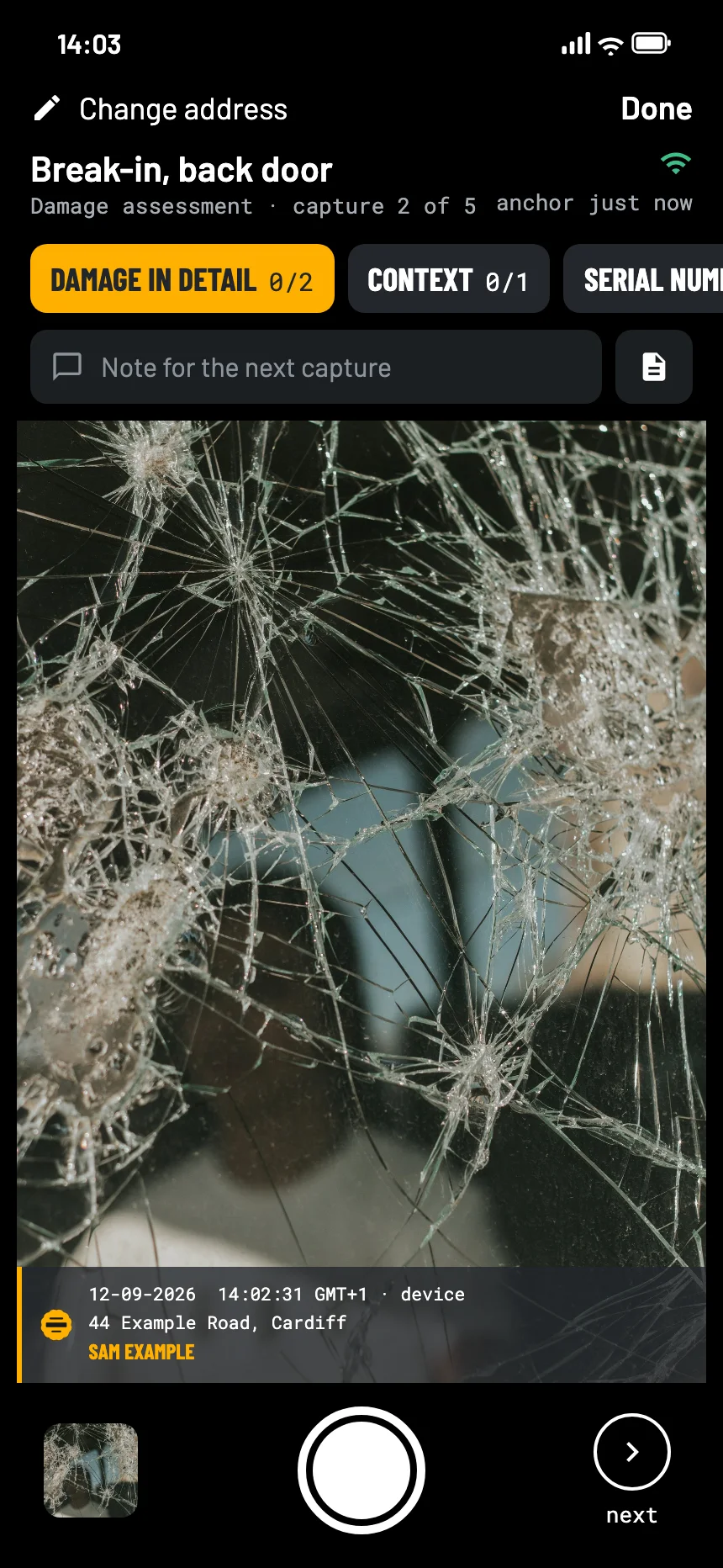
The EverStamp camera for an insurance claim after a break-in: the smashed window pane close up in the viewfinder, with the stamp bar in the picture
Where it goes wrong

Clearing up removes what you need to show

You have to clear up

Water has to be pumped out and glass swept up. Once it is gone, the loss adjuster can only go on what you show.

When did it happen?

A claim can turn on whether the damage came from the storm or was there before. That is a question about time.

Missing details

Serial numbers, receipts, the cause. A checklist asks for them while you are still in the room.

What to photograph

The cause, the damage, the details

The Damage assessment template in the app asks for an overview, the damage in detail and the context, with room for serial numbers and the cause.

Photograph the serial numbers and type plates of damaged appliances. The claim form asks for them later.

Overviewat least 1
  • The room or the garden, from a distance
Damage in detailat least 2
  • Each damaged part close up
  • Water lines on walls and furniture
Contextat least 1
  • The street or the building after the storm
Serial number or labeloptional
  • Type plates of damaged appliances
Causeoptional
  • The broken window, the burst pipe, the fallen tree
How it goes

Shoot, close, send it on

01

Photograph before you clear up

The overview, every damaged part close up, and the cause if you can see it.

02

Close the file

An independent service timestamps the series. The state before the clean-up is then fixed in time.

03

Send it with your claim

As a PDF report or a link, next to the claim form. The loss adjuster checks it in the browser.

At the other end

What the insurer and the loss adjuster see

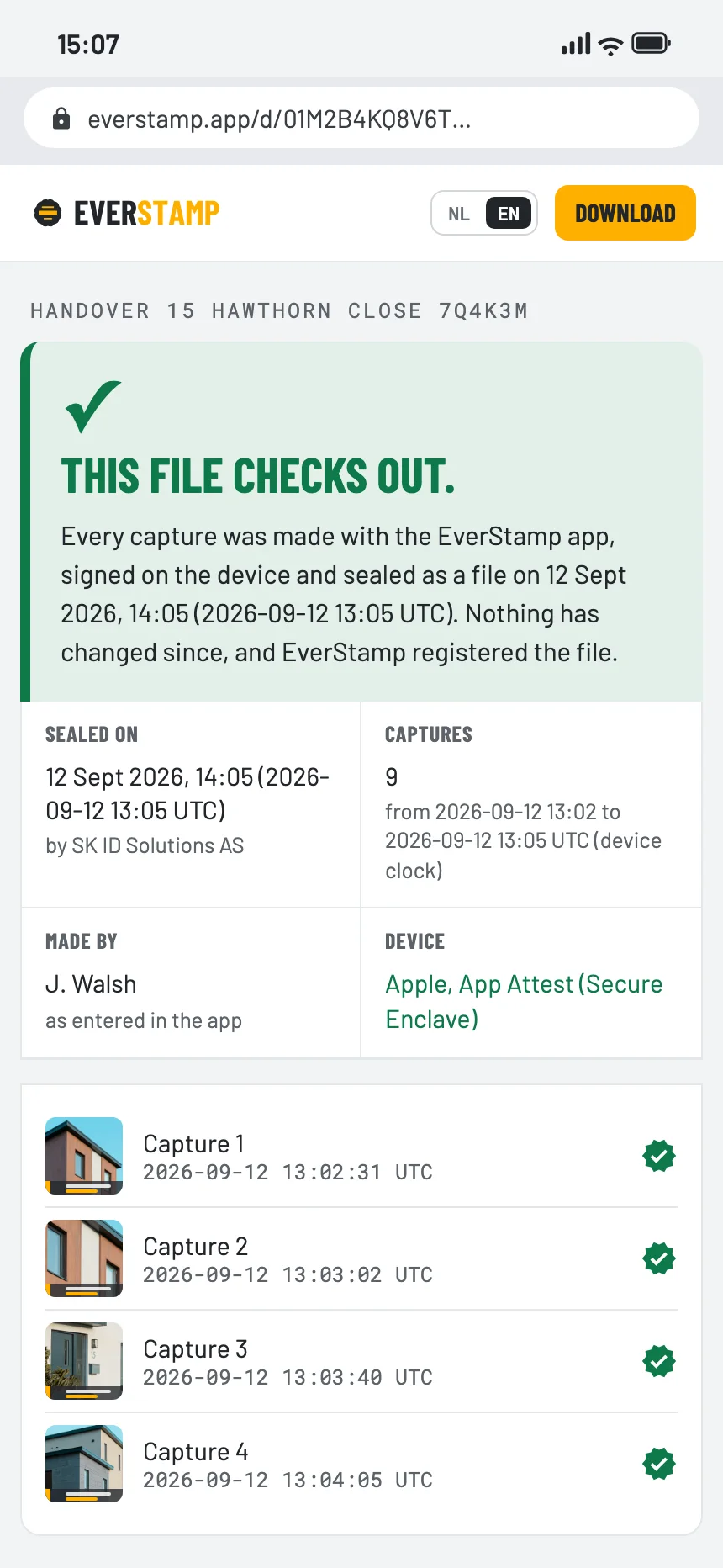
They open the file in the browser, with no account and nothing to install: the damage before the clean-up, with the time from an independent service.

The file establishes
  • That these photos existed in this form at the time of the timestamp
  • That they were taken with this app, on this phone
  • That anything added, removed or changed since then shows up
It leaves to someone else
  • Whether the damage is covered by your policy
  • What caused it
  • What it is worth
The verification page in the browser: this file checks out
Questions

What people ask

Will my insurer accept an EverStamp file?

Your insurer decides for itself what it accepts. What EverStamp adds is that anyone at the insurer can check the file in the browser themselves.

Should I wait for the loss adjuster before clearing up?

Follow what your insurer tells you. If you have to clear up to prevent more damage, photograph everything first.

Can my insurer ask me for photos through EverStamp?

Yes, if the insurer uses EverStamp itself: it sends a link or a QR code with its own checklist, and the photos come back to it sealed.

Is a photo with a date on it not enough?

The date on an ordinary photo comes from the phone and can be changed afterwards. Here the time that counts comes from an independent service, and the page shows the window between the photo and the stamp.
Photos first, then the mop

Basis is free: one file a month, with the same seal as Plus.

Get the app

Similar moments