EverStamp
Home › Personal › Damage and nuisance
Neighbours, flats and shared buildings

Damage photos with a timestamp the other side can check

A leak from the flat above, a crack that keeps growing, a dent in the car park. Capture it with EverStamp as soon as you see it, and again as it develops. An independent service timestamps each file.

Work at an insurer? How to request captures of the damage from the policyholder →
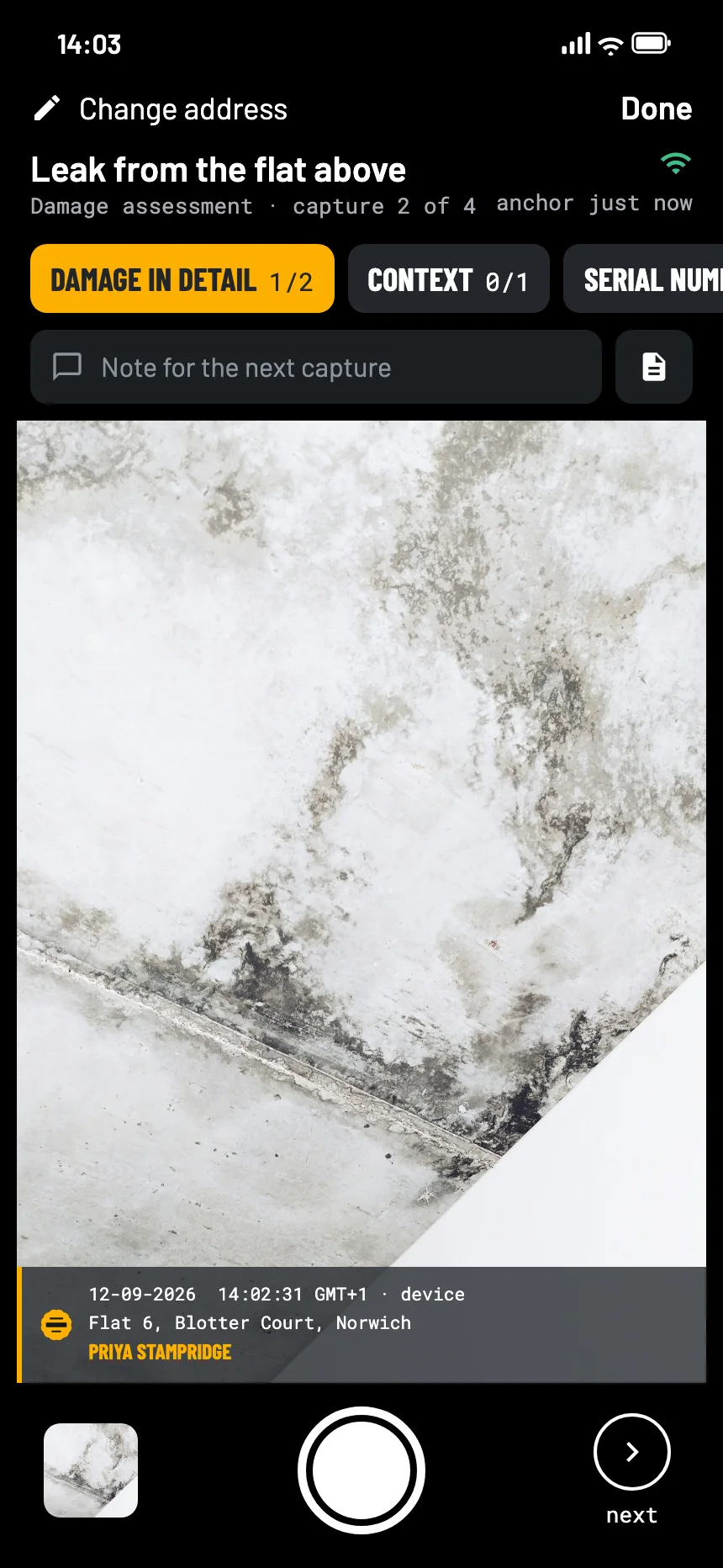
The EverStamp camera for a leak from the flat above: the stain on the wall close up in the viewfinder, with the stamp bar in the picture
Where it goes wrong

In these cases the date is the argument

When did it start?

The neighbour says the leak is old; the building manager says it is new. Your photos need a date nobody has to take on trust.

It gets worse

Damage that grows needs a series: the first day, a week later, a month later.

Photos everywhere

Pictures in a chat, an email and a camera roll. By the time someone asks, they are hard to find and harder to date.

What to capture

The damage, the source, the context

The Damage assessment template in the app asks for an overview, the damage in detail and the context, with room for a serial number and the cause.

Make a new file each time you go back. Each has its own timestamp, so the series shows how the damage developed.

Overviewat least 1
  • The room or the wall, from a distance
Damage in detailat least 2
  • Close up, with a ruler or a coin
  • From an angle, to show depth
Contextat least 1
  • Where it comes from: the ceiling, the pipe, the flat above
Serial number or labeloptional
  • Of any damaged appliance
Causeoptional
  • A burst pipe, a gutter, a vehicle
How it goes

Shoot, close, send it on

01

Capture it the day you see it

From a distance, close up with something for scale, and where it comes from.

02

Close the file

An independent service timestamps the series. Anything added later shows up.

03

Send it, and go back later

Share the report with the neighbour, the building manager or the insurer. A new file a week later shows whether it is getting worse.

At the other end

What the neighbour, the building manager or the insurer sees

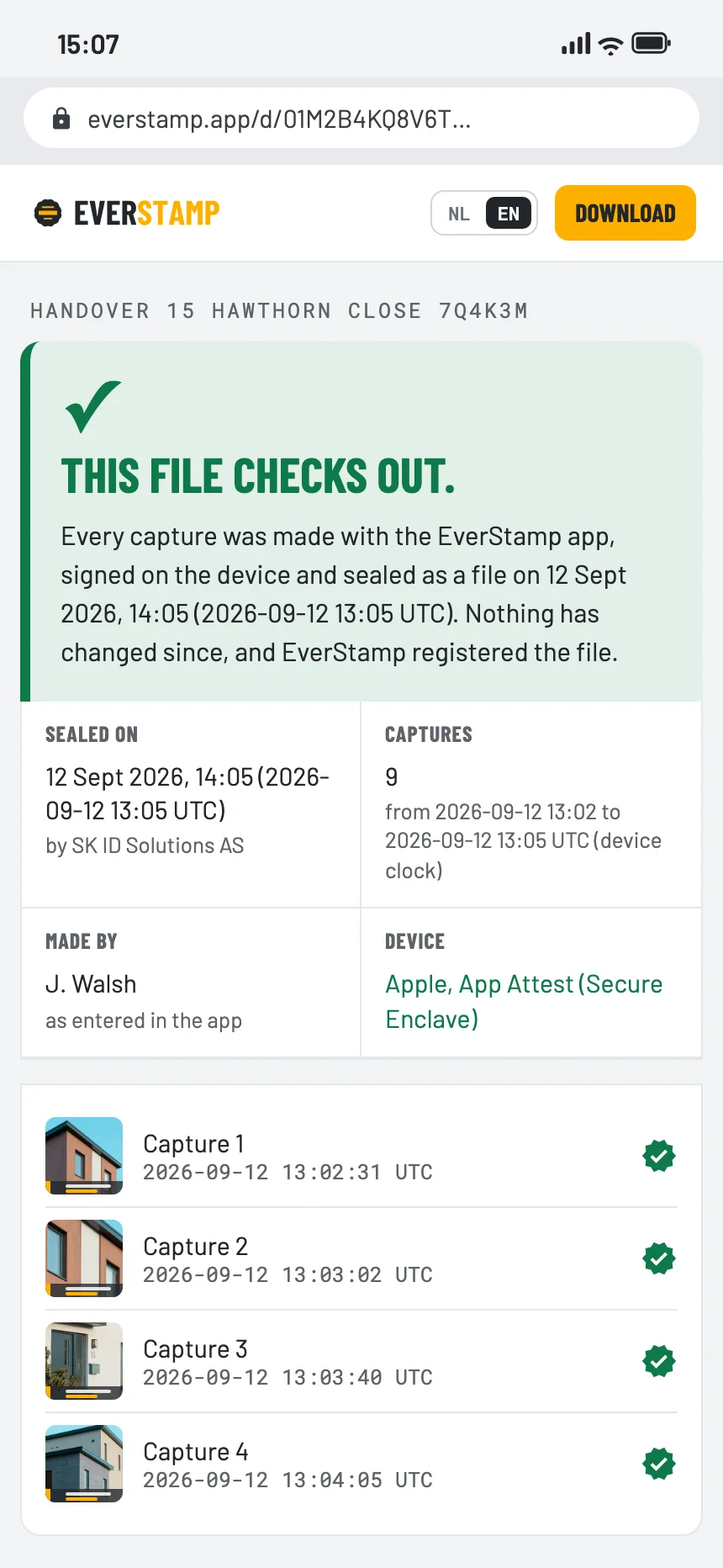
They open the file in the browser, with no account and nothing to install: the damage as it was on that day, with the time from an independent service.

The file establishes
  • That these captures already existed in this form at the time of the timestamp
  • That they were signed with a key that Apple or Google attests was made in the secure hardware of this phone, for our app
  • That an image added, removed or changed since then, or a change in the order, shows up
It leaves to someone else
  • What caused the damage
  • Who is liable for it
  • What happened after your last file
The verification page in the browser: this file checks out
Questions

What people ask

Does the neighbour need the app?

No. They open the file or the link in a browser. Only the person making the captures needs the app, and on Basic the first file is free.

What if the damage is in someone else’s flat?

Capture what you can see from your side, and ask them to make their own file. Both are checked in the same way.

Should I clear up first?

Capture it first. Clearing up is often the right thing to do, but it removes what you need to show.

Is a photo with a date on it not enough?

The date on an ordinary photo comes from the phone and can be changed afterwards. Here the time that counts comes from an independent service, and the page shows the window from the time anchor to the timestamp.

Capture it the day you see it

Basic has no subscription, and your first file is free, with the same seal as Plus.

Get the app

Similar moments